

 Русский

 March 23, 2026
In the process of automation and data scraping, anonymity and connection stability are two sides of the same coin. The more actively you interact with the target resource, the higher the likelihood of being caught by anti-fraud system filters. Access restrictions, incomplete output, content substitution, CAPTCHAs, or request blocking (shadow banning) – these are standard reactions from websites to suspicious activity.
One of the key tools for bypassing these restrictions is IP rotation. This is a technology that allows you to simulate the actions of many real users by distributing the load across thousands of different addresses.
What Is IP Rotation: Basic Concepts
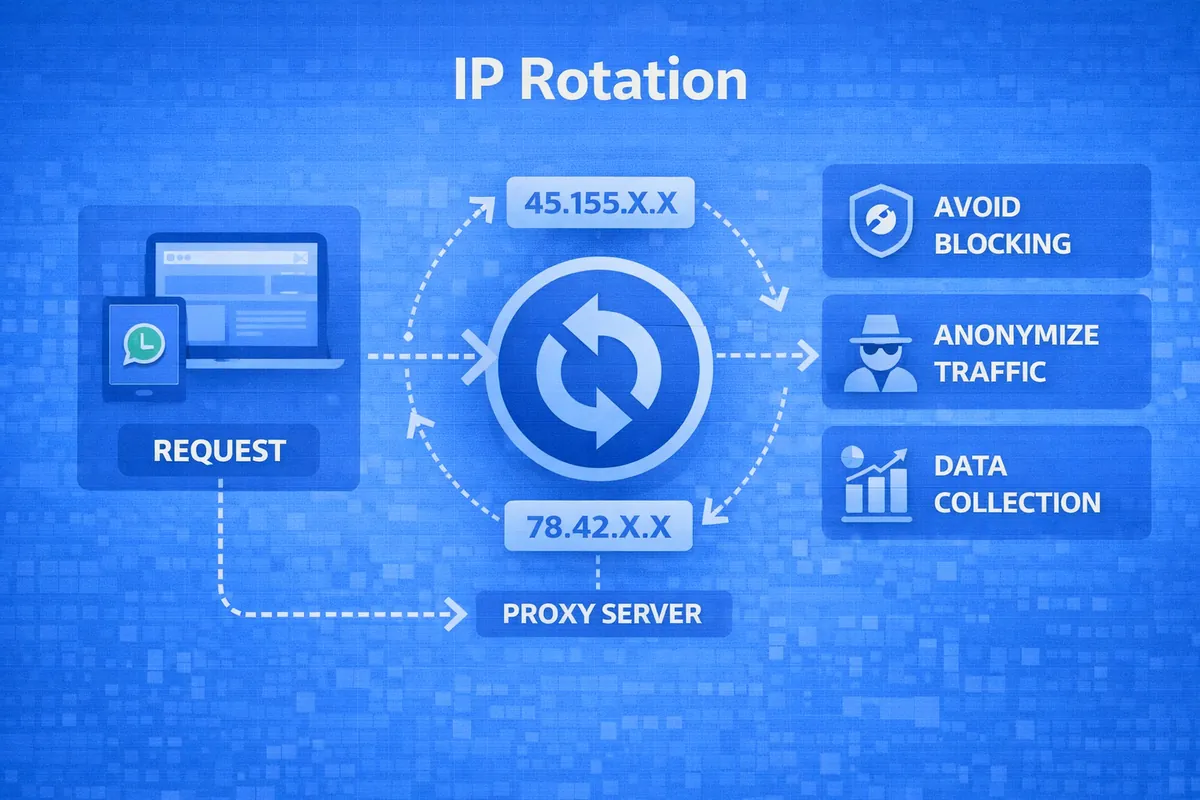
IP rotation is the automatic process of changing the outgoing address within a single proxy connection.
When you use a regular static proxy, all requests go out from the same IP. For a website's security systems, this looks like anomalous activity: one "person" sends hundreds of requests per minute. Rotation solves this problem by substituting a new address from the provider's huge pool (database).
The user connects not directly to the end IP address, but to the proxy provider's gateway. The gateway receives the request and, according to a set algorithm, forwards it to one of the available addresses in the pool. For the target server, this looks like a request from a completely new device.
Sticky & Rotating – What Is the Fundamental Difference
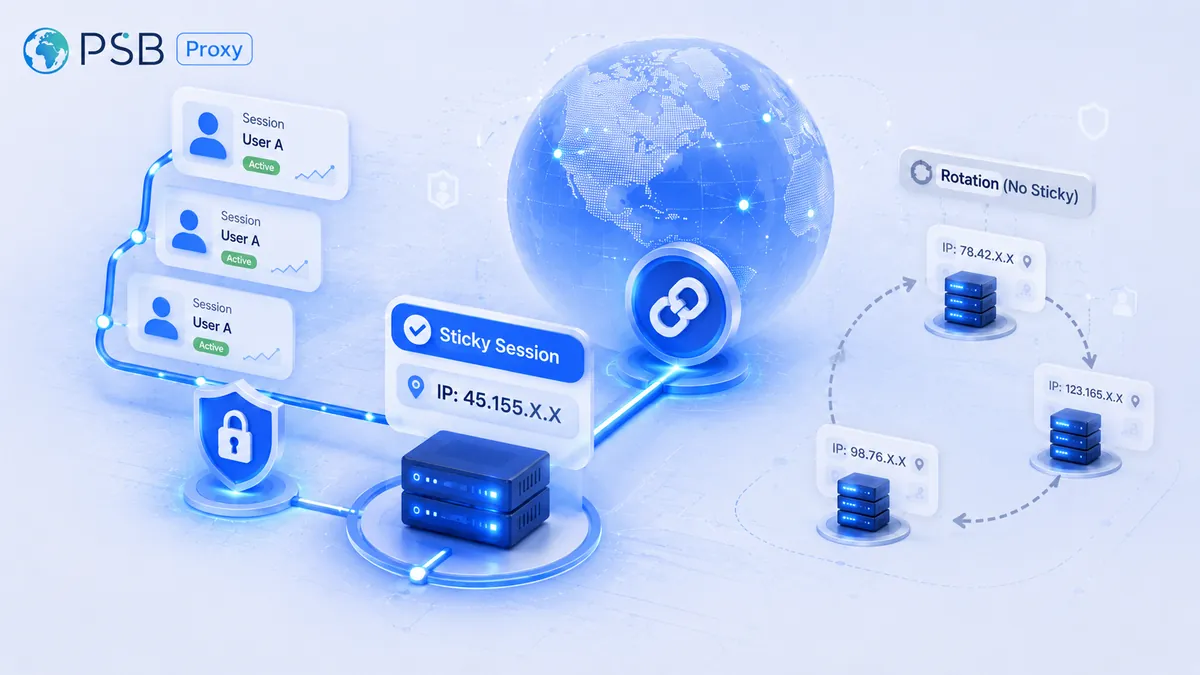
When choosing a proxy, you will inevitably encounter two terms: Sticky (session-based) and Rotating (dynamic).
- Rotating: The IP typically changes automatically, often with each new request unless a sticky session is set. You sent a request to get data – you received IP #1. You refreshed the page – your request already went out with IP #2. This is an ideal option for working with huge amounts of data where authorization is not required.
- Sticky: In this mode, the provider "fixes" a specific IP for you for a set period of time (for example, 1, 10, or 30 minutes). During this interval, all actions are performed from the same address. This is necessary to simulate the behavior of a real person who is methodically browsing the site or working in a personal account.
The main difference lies in session duration. If Rotating proxies are a "sniper sequence" from different points, then Sticky proxies are a stable "communication channel" that allows the site's security system to "recognize" you within a single visit.

Types of Rotation: When and Why to Change IP
The mechanism for changing addresses is not universal. Depending on the software architecture or the specifics of the target site (anti-fraud systems), rotation can be configured in different ways:
- By time: This is the most common option for Sticky sessions. You set an interval (for example, 5, 10, or 30 minutes) during which you work through one IP. When the timer expires, the proxy provider's gateway automatically substitutes a new address from the pool.
- By each request: Here, the change happens instantly. Every new GET or POST request is sent from a unique IP address. If you need to download a million product cards, this method will allow you to bypass limits on the number of requests per second from a single node.
- On failure: An advanced method where the address changes only in the event of a server error (for example, a 403 Forbidden or 429 Too Many Requests code).
- By command (manual): In this case, you control the process yourself via an API request to the provider or through your personal account.
What to Choose: Sticky or Rotating?
Choosing a mode is always a balance between "human-likeness" and scraping power. Let's consider four key scenarios relevant to psbproxy.io clients.
Scenario 1: Working with Social Media Accounts
If you are engaged in account farming, mass liking, or managing multi-accounting on Facebook, Instagram, or TikTok, your choice is Sticky proxies (mobile or residential).
Why: Social networks instantly ban a profile if the IP address suddenly changes within a single session. Address stability over 20-30 minutes is crucial here.
Scenario 2: Mass Scraping of Marketplaces
For collecting prices, SKUs, and reviews from Amazon, Wildberries, or Ozon, Rotating proxies are ideal.
Why: Marketplaces are protected by powerful shields. A huge number of requests from a single IP will quickly lead to CAPTCHA. Rotation on each request allows you to distribute the load so that each individual IP from the pool makes only a couple of requests per hour, staying "below the radar."
Scenario 3: Traffic Arbitrage and Ad Accounts
Working with Google Ads, Facebook Ads, or TikTok Ads requires maximum trust. Sticky sessions with long hold times are used here.
Why: Ad accounts are extremely sensitive to GEO position and proxy cleanliness. Any "flickering" of the IP during campaign setup will lead to an immediate checkpoint or ban. Rotation should be infrequent and of high quality.
Scenario 4: Geo-Testing and SEO SERP Analysis
When you need to check what Google search results look like in different cities or countries, it is better to use Rotating or manual rotation.
Why: You need to quickly "jump" from one location to another to compare results. Address consistency is secondary here; what matters more is the breadth of the pool and the accuracy of targeting.
How to Configure Rotation: Examples and Technical Approaches
The rotation setup depends on which tool you are using: an anti-detect browser, specialized scraping software, or a custom script in Python/Node.js.
- Method 1: Using an Endpoint.
This is the simplest method. The provider provides a single URL and port (for example, gate.psbproxy.com:8000).
Inside this port, the algorithm is already configured: with each request through this gateway, the system automatically substitutes a new IP from the pool. You do not need to change the settings in your software – rotation happens on the proxy provider's server side.
- Method 2: Parameters in the Login (Sticky Sessions).
To control "stickiness," adding a session identifier directly to the authorization string is often used, for example: user-login-session-12345:password.
As long as session-12345 is used, you will go online through the same IP (as long as it is active). When you need to change the address, you simply change the numbers in the login to any others. This gives you full control over rotation without using complex APIs.
- Method 3: Programmatic Rotation via API.
If you are writing software, you can send a GET request to the provider's API to force an IP change. This is critical for tasks where you need to change identity immediately after a certain trigger (for example, after successfully registering an account).
Typical Mistakes When Working with Rotation and How to Avoid Them
Even with the best residential proxies, you can get banned if you make methodological errors. Let's go over the most common ones:
- Sessions that are too short for social networks. Setting rotation "every 2 minutes" when working with Facebook or Instagram is a direct path to a ban. A real person does not change providers and GEO every 120 seconds. For such tasks, set a Sticky session to at least 15-20 minutes.
- Ignoring WebRTC and DNS leaks. IP rotation will not save you if your browser "leaks" your real IP through protocol vulnerabilities. Always use quality anti-detect browsers (AdsPower, Dolphin, Octo Browser) in conjunction with rotating proxies.
- Mixing proxy types. Using cheap datacenter proxies with rotation for scraping Google or Amazon is often useless. These sites see the entire range of datacenter IPs and block them in batches. For serious tasks, choose rotating residential IPs.
- Lack of session "warming up." When using Sticky proxies, it is important to simulate a smooth start of activity. If you immediately start sending 50 requests per second right after an IP change, the anti-fraud system will understand that it is a bot, regardless of how "clean" your address is.
- Geographic scatter. If the first request came from New York, and a minute later the next (within the same task) comes from London, this looks extremely suspicious. Configure rotation within one region or country (geo-targeting).
Conclusion
IP rotation is not just a way to hide your presence on the internet, but a powerful tool for scaling a business online. The choice between Sticky and Rotating sessions should be dictated solely by your task:
- If you need stability and human-like behavior, choose Sticky;
- If you need speed and bypassing limits during scraping, then Rotating is the choice.
The main thing is to remember that a proxy is just a tool, and success depends on correctly configuring the rotation logic and understanding the algorithms of the resources you are working with.