

 Русский

 June 4, 2026
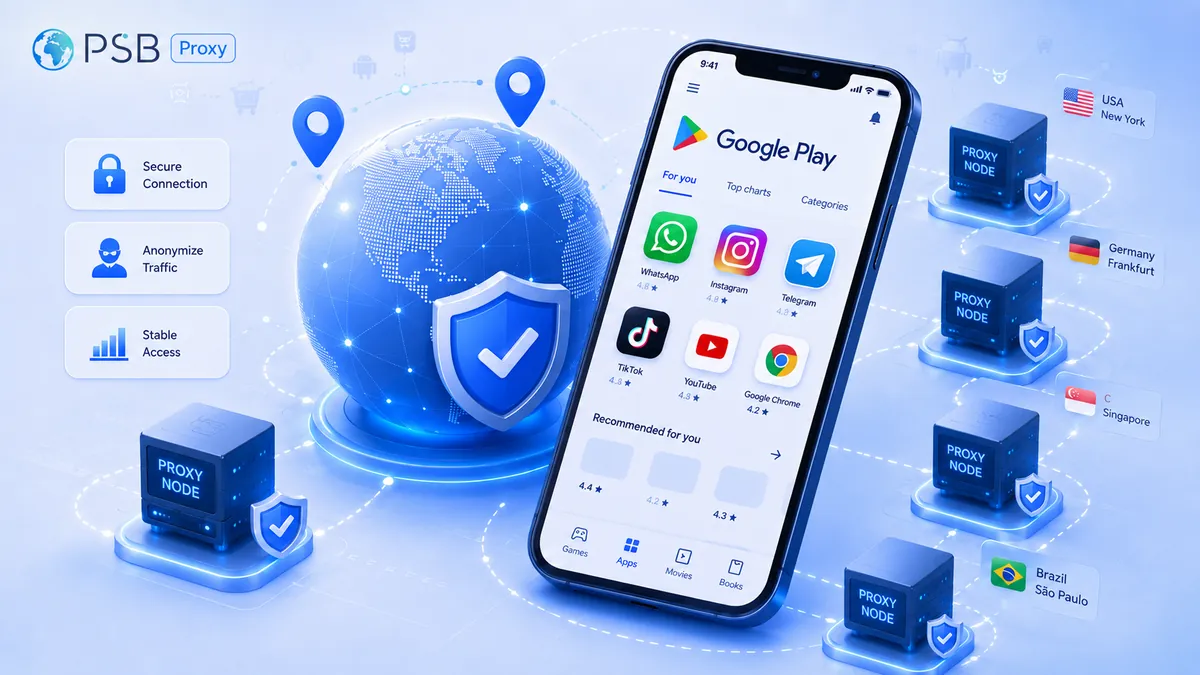
Development and marketing teams regularly check app visibility on Google Play, the accuracy of localization, and search rankings across different countries. Proxy servers are often used for these tasks. A properly selected proxy server helps verify how the app listing, search results, and localization appear to a user from the target country or region. However, without the right choice of proxy type and settings, it’s easy to get distorted data.
What checks do app teams most often perform on Google Play?
Before launching in a new region or after releasing an update, app teams check how Google Play displays their product to real users. Search results are influenced by many factors: from account settings to IP geolocation.
Types of checks:
- App visibility. Is the app available for download in a specific country, taking distribution settings into account?
- Store listing localization. Accuracy of titles, descriptions, screenshots, and videos in the target language.
- Search rankings. The app’s position in keyword searches, categories, and top charts.
- Featured sections. Inclusion in Google Play’s editorial selections and recommendations.
- Accuracy of prices and currencies. Correct display of prices in local currency, taking into account exchange rates and taxes.
- Availability of purchases and subscriptions. Functionality of monetization scenarios in a specific country.
- User flow. End-to-end testing from installation to the target action, which helps identify regional bugs.
These checks are part of a regular process that is typically integrated into the update release cycle.
Why Google Play checks may not reflect the actual situation
Discrepancies between expected and actual display on Google Play arise for several reasons. The store caches data, so even after updates are published, users may see an outdated version of the page. Personalization algorithms take into account search history, installed apps, and device language, tailoring results individually.
Settings from the Play Console are not applied instantly but with a delay ranging from a few minutes to several hours. The IP address is an important signal, but not the only one: IP geolocation may not match the target region—for example, a European IP does not guarantee that Google will show Germany rather than France. Google account settings, interface language, the country in the payment profile, the device, and the cache can override the region determined by the IP.
What to Consider When Choosing Proxies for Google Play Verification
Choosing a proxy for Google Play isn’t just about buying the first IP address you find from the right country. The store takes many factors into account at once: geolocation, language, device type, and session stability. If even one of these parameters doesn’t match what a real user from the target region would expect, the test results will be skewed.
GEO
The IP address must precisely match the target region. To check visibility in Germany, you need a German IP; for France, a French one. Using a proxy from a neighboring country often leads to errors because Google Play considers not only the IP but also the language, account, device, and other signals. Trying to save money by using a Dutch IP instead of a German one will most likely show a different card than the one a user from the target region should see.
Locale
The interface language is just as important as IP geolocation. Google Play may prioritize the account or browser language, ignoring the country from which the request originated. To get the correct localized card, you should use browsers or devices with the desired language, add the gl and hl parameters to the URL if they are used in the test scenario, and configure the Accept-Language header in requests. Without these settings, even a German IP address may display the English version of the page if the browser language remains set to English.
Device Type and Testing Scenario
Different types of proxies are suitable for different tasks. Testing directly on smartphones or tablets requires mobile proxies that provide mobile carrier IPs. Mimicking a typical home user on a desktop computer or laptop is best achieved with resident proxies. Data center proxies are effective for large-scale automated testing where a highly realistic user environment isn’t required, and speed, scale, and low request cost are important. Substituting one type of proxy for another can lead to a loss of data accuracy.
Session and Reproducibility
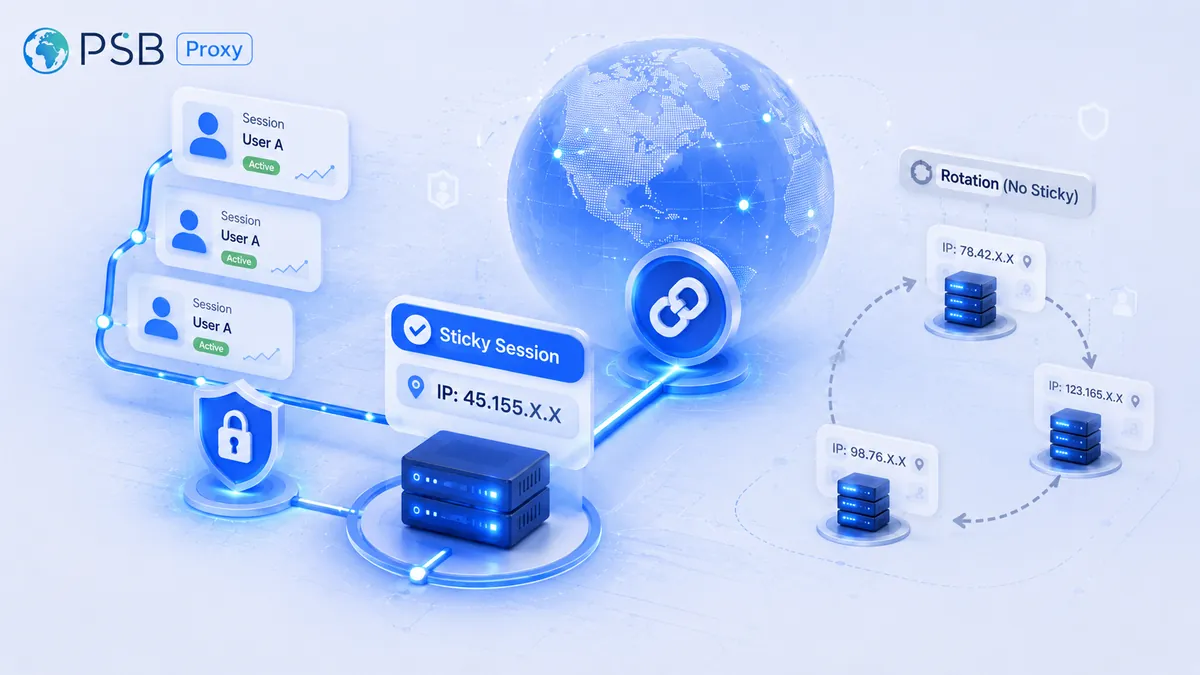
Many scenarios require a stable session with a fixed IP (sticky IP). This is especially important for tracking daily ranking dynamics, when you need to compare today’s position in search results with yesterday’s under identical conditions. The same applies to testing a long user journey—installation, registration, payment: changing the IP in the middle of a session will break the entire scenario. In addition, a stable session reduces the risk of throttling when maintaining a proper request frequency, because too frequent IP address changes can be perceived by Google’s anti-bot systems as suspicious activity.
When to Use Data Center Proxies for Google Play
Data center proxies are server IP addresses that are not tied to actual internet service providers. They are well-suited for tasks where speed and cost are more important than fully mimicking a real user. Specific use cases include bulk ranking checks across thousands of keywords, monitoring prices and availability simultaneously in 20–30 countries, and running automated scripts to collect metadata.
Pros of data center proxies: high speed and low cost. Cons: higher risk of restrictions and lower trust from Google Play’s anti-bot systems.
Where residential proxies are particularly useful
Residential proxies use IP addresses of real home users, making them as similar as possible to normal traffic. They are particularly useful for checking app visibility in countries and scenarios with stricter filters, and for testing payment and subscription scenarios where a clean IP reputation is crucial. They are also used to analyze personalized search results.
The advantages of residential proxies are a more natural IP profile and a lower risk of restrictions when maintaining a proper request frequency. There are downsides, too. These include higher costs and, as a rule, lower speeds compared to data centers.
Do you need mobile proxies for Google Play scraping?
Mobile proxies use IP pools from mobile carriers. They are necessary when testing the mobile version of the Play Store, verifying app performance on real physical devices with SIM cards from different carriers, analyzing mobile ads as part of ASO research, or replicating the behavior of users who access the store exclusively via mobile networks.
Which proxies to choose for different tasks when parsing Google Play
There is no one-size-fits-all proxy for all tasks. What works well for mass monitoring may fail during manual testing or when working with the Play Console. Therefore, before testing, you should define the scenario and select the appropriate proxy type.
Recommendations:
- You need to check whether the app is visible in a specific country. A data center proxy is sufficient for a basic check. But if the market is sensitive to IP quality or the response is unstable, it’s better to use a residential proxy: data centers are more likely to face restrictions in such scenarios.
- You need to check the store listing localization. Residential proxies are usually the best choice here. They display the listing close to what a real user would see, but the cache, language, account, and gl/hl settings still need to be checked separately.
- You need to check rankings or visibility in search results across markets. For bulk testing across hundreds of keywords, data center proxies with IP rotation are optimal. If there are only a few dozen keywords and high accuracy is important, residential proxies will suffice.
- Manual QA of the card and user flow is required. Manual testing of installation, registration, and payment requires the most realistic environment possible. The choice is between residential or mobile proxies with a fixed IP for the entire session. Data center proxies are usually not suitable for this.
- You need stable operation in the Play Console. To log in to the developer console, it’s better to use a dedicated corporate connection or a reliable VPN, MFA, and a predictable login environment. Proxies are needed here not to automate actions in the console, but to check how the app appears to users from different countries.
- You need budget-friendly multi-region monitoring. If you need to check rankings in 10–20 countries every day but have a limited budget, choose data center proxies. They are cheap, fast, and provide acceptable accuracy for large-scale tasks.
The choice of option always depends on the specific task.
How to Choose a Proxy Service for Google Play Checks
Even high-quality, expensive proxies may not deliver results if the service doesn’t account for the specifics of Google Play. That’s why it’s worth going through this checklist before making a purchase.
Selection Checklist
- IP Geography. Availability of clean IPs in the right countries. The wider the selection of countries and cities, the better.
- Proxy types. Support for data center, residential, and mobile proxies.
- Speed and bandwidth. Critical for bulk checks and integration with parsers. Slow proxies disrupt monitoring schedules.
- Session stability (sticky IP). The ability to lock an IP for a specified duration. Without this, high-quality manual QA and tracking of ranking dynamics are impossible.
- API availability. For automation and integration with ASO platforms or your own parsers. Without an API, scaling checks will be difficult.
- IP reputation. The service must monitor the quality of its IP pool and not provide addresses with a history of spam, mass restrictions, or Google blocks.
- Pricing and billing system. A transparent model with no hidden limits. It’s important to know exactly how much you’re paying per hour for traffic or per IP.
- Responsive technical support. This is especially important for integrations and non-standard scenarios.
How our PSBProxy service helps with Google Play reviews
For Google Play reviews, it’s important to choose a service not only based on price but also on manageability: you need different types of proxies, GEO selection, stable sessions, clear rotation, traffic control, and the ability to scale reviews. We offer residential, mobile, and data center proxies, so you can build different setups for various scenarios: data center proxies are suitable for budget-friendly monitoring, residential proxies for checking visibility, localization, and search results in different countries, and mobile proxies for mobile contexts and QA on devices. A large IP pool, country coverage, rotation, and fixed sessions help you test Google Play more accurately when combined with correct language, account, GL, and HL settings.
Errors that cause Google Play tests to give a false picture
Even with properly selected proxies, you can get distorted data if you make mistakes in the configuration or testing process.
For example:
- Using the same IP for all tests. A single address quickly gets restricted by Google’s anti-bot systems. For large-scale scenarios, IPs need to be rotated.
- Ignoring the gl and hl parameters in the URL. Without them, Google Play determines the country and language on its own, often incorrectly.
- Checking without clearing the browser or app cache. Old data from the cache overrides the current version of the card.
- Mismatch between the account language and the target region. Google Play often prioritizes the account language over IP geolocation.
- Too many requests without pauses. Excessive data collection leads to restrictions even with high-quality proxies, so it’s important to control the frequency of requests.
- Testing only on desktop. The mobile version of the Play Store may differ in search results and interface elements.
- Checking only without authorization or only with Google account authorization. Some scenarios require testing in both modes: the public listing page—without an account—and the availability of installation, subscriptions, purchases, and personalized elements—with a test account from the target region.
By avoiding these mistakes, you can significantly improve the accuracy of your tests and avoid wasting time analyzing data that is known to be incorrect.
In conclusion
The type of proxy should be chosen based on the task: data center proxies for mass monitoring, residential and mobile proxies for manual QA, mobile context, and localization. It is important to consider GEO, language, session stability, account, device, and gl and hl parameters. Our service helps you manage different proxy types, rotation, and GEO settings, but the reliability of the test still depends on a correct scenario, a clean environment, and careful interpretation of the results.