

 Русский


 March 11, 2026
Registering Telegram accounts is the first step for anyone planning large-scale work in the messenger. And the first problem you’ll run into is bans during profile creation. You can buy a hundred SIM cards and prepare the software, but if accounts are registered from “bad” IP addresses, they either won’t survive a day—or won’t get created at all.

Why does this happen, and which proxies actually work for mass registration? Let’s break it down. We’ll also look at how these processes are automated in Telegram Soft - Expert, so you don’t just get theory—you understand how to apply it in practice.
Alt: Telegram Soft Expert
Why Telegram Doesn’t Work at Scale Without Proxies
A proxy server is an intermediary between your computer and Telegram’s servers. It replaces your real IP address with the one you specify. For a regular user, it’s a way to bypass blocks or stay anonymous. For a Telegram specialist, it’s a tool for separating traffic streams.
When you register 10 accounts from one IP, Telegram sees an anomaly. A dozen new users suddenly appearing from the same location within an hour is a classic “bot operator” pattern. The result is an instant session ban for everyone—or at minimum, a spam restriction.
The purpose of proxies is to make each account look like a separate person logging in from their own internet exit point.
Proxy Types: What Exists and What Works Best
The market offers many proxy types, but not all are suitable for Telegram.
By Protocol: SOCKS5 vs HTTP
SOCKS5 is a universal protocol that works at the TCP/UDP level. It handles any traffic type, doesn’t interfere with data packets, and works extremely well with Telegram. Telegram Soft - Expert supports SOCKS5—it’s the industry standard. The key advantages are stability and authentication support. For mass actions, SOCKS5 is the recommended choice.
HTTP(S) proxies are designed for web traffic. Telegram can use them, but they’re typically less stable in practice. Telegram Soft - Expert also supports HTTP(S), but for bulk operations it’s better to stick with SOCKS5.
By IP Origin: Mobile vs Residential
Mobile proxies are IP addresses issued by cellular carriers to real devices. They’re harder to block because they look like normal user traffic from phones. For Telegram—an ecosystem built around mobile usage—this is often the ideal option.
Residential proxies are IP addresses of ordinary users in different countries who share their network routes for proxying. They also look natural, but are usually more expensive than mobile.
Datacenter proxies may still work technically (Telegram Soft - Expert can operate with them), but for farming in 2026 they’re close to useless: datacenter ranges are easy to fingerprint and quickly land on ban lists.
By Connection Type: Static, Sticky, Rotating
Static proxies assign one IP to you for the entire period. They’re suitable for warming up and long-living accounts where the “one account = one IP” rule matters.
Sticky proxies can change IPs, but keep the same IP for a defined time window (for example, 10–30 minutes). Telegram Soft - Expert works correctly with them and can help you check pools for overlap.
Rotating (backconnect) proxies change IP with each request or on a schedule. For one-time actions, this can be a plus, but for warmed accounts frequent IP changes are risky. Telegram Soft - Expert supports rotating proxies and can analyze the actual pool size using a checker. For registration, use rotating proxies carefully—sticky is often safer.
Bottom line: for mass registration, the priority usually looks like this: mobile > residential > datacenter. Prefer sticky or rotating depending on whether you’re focusing on registration or post-registration actions.
Pitfalls: Pools and Rotation
Let’s say you bought a batch of residential proxies. It’s not that simple. There’s a concept of an IP pool. If the provider sells you a pool where addresses repeat constantly (for example, 100 accounts end up using 10 IPs), that’s a disaster.
IP overlap is a direct path to mass bans. Telegram will notice dozens of numbers actively working from the same address—and punish the entire bundle.
That’s why it’s important to check the pool for uniqueness. A good service provides either unique static IPs (one account = one permanent address) or rotation with a huge pool where repeats are extremely rare.
Telegram Soft - Expert includes a dedicated module called “Proxy Pool Checker”. You upload a list, the software runs requests, and outputs statistics: how many unique IPs are in the pool, how many repeats, and how many connection errors. This helps you filter out poor suppliers before you even start registration.
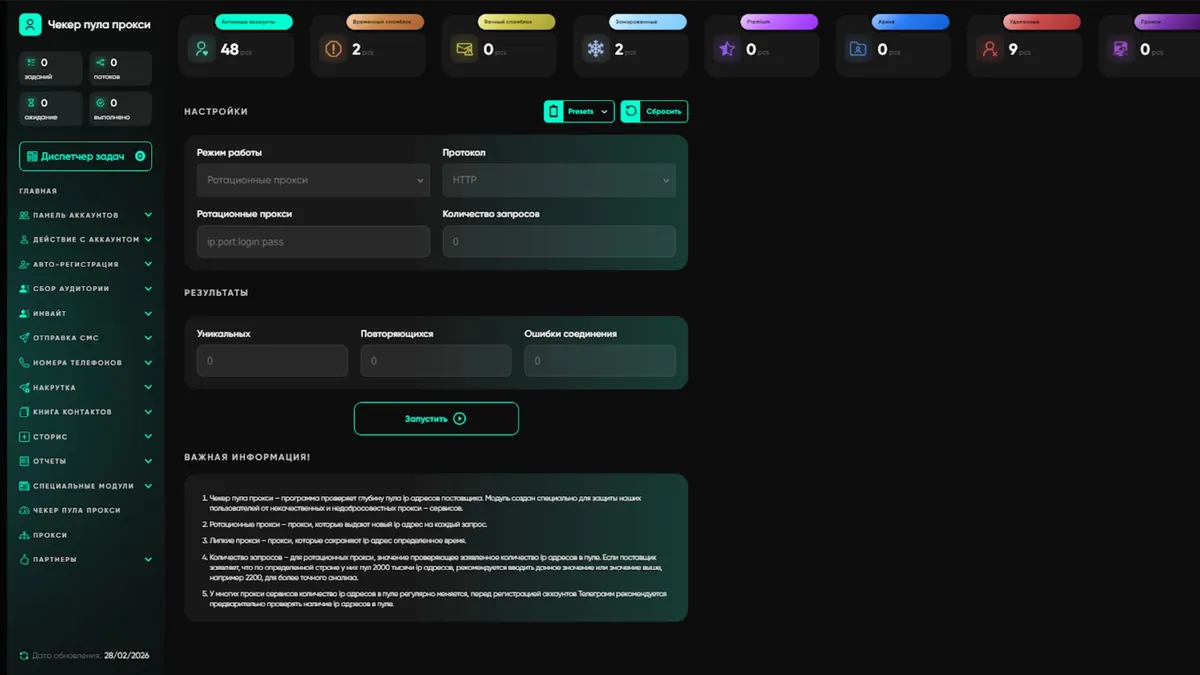
Alt: Telegram Soft Expert — proxy pool overlap check
How to Set Up Proxies for Registration in Telegram Soft - Expert
Now let’s move to practice. Suppose you have good mobile proxies, each unique. How do you run registration correctly so accounts live long and stay safe?
In Telegram Soft - Expert, registration is handled in a dedicated large section called “Auto Registration”. But before you hit “Start,” you need to organize proxies properly.
Step 1. Import and Test Proxies
Proxies are imported in the section with the same name. The format is simple:
ip:port:login:password
Telegram Soft - Expert works with IPv4 only.
After importing, always run a check. The software evaluates response time and validity. Proxies that don’t respond (status bad) should be removed immediately so they don’t slow down the workflow. Sometimes a proxy may be marked incorrectly, so it’s worth testing multiple times to confirm poor quality.
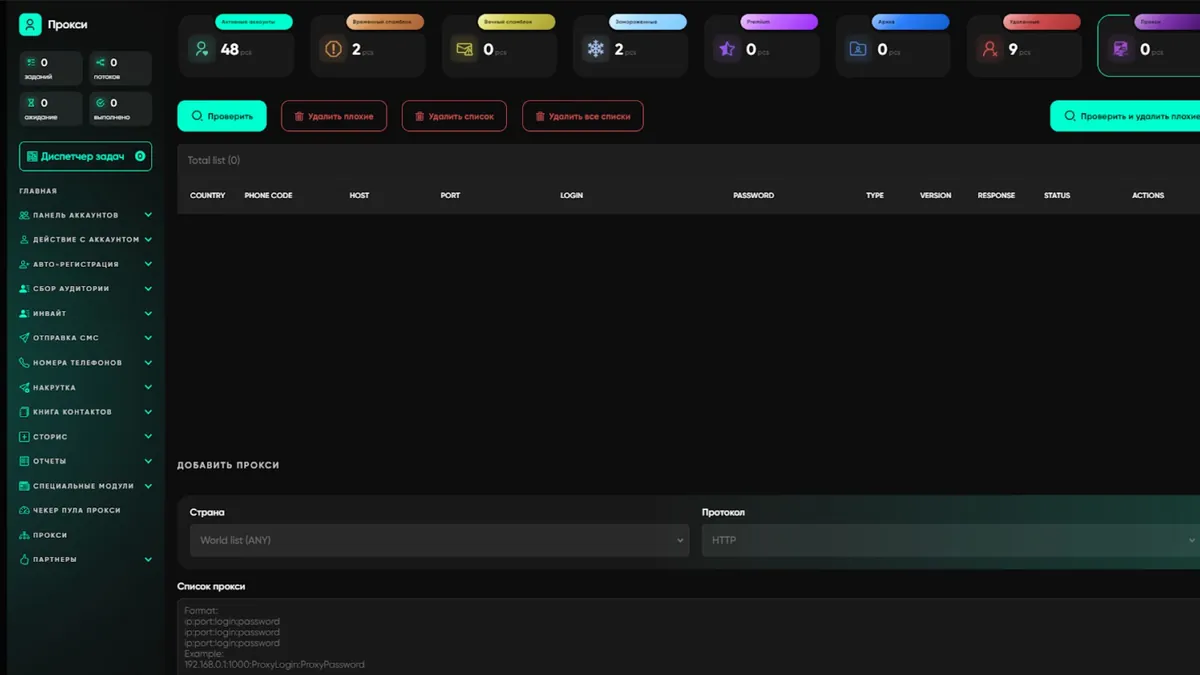
Alt: proxy checking in Telegram Soft Expert
Step 2. Choose the Proxy Selection Mode
This is the most important part. In the software settings (World list), you can define the logic for how accounts select IPs. For registration, two approaches are optimal:
- If you have a set of proxies for a specific country:
Choose “Settings (auto country detection + World list)”. Telegram Soft - Expert will automatically detect which country an account belongs to (based on the phone code) and pick a proxy from the corresponding folder. - If proxies are tightly bound to accounts (one-to-one):
Choose “Account + Settings (World list)”. The software first tries to connect via the proxy stored in the account’s JSON file. If it’s missing or fails, it falls back to the general list. This is the maximum fault-tolerant mode.
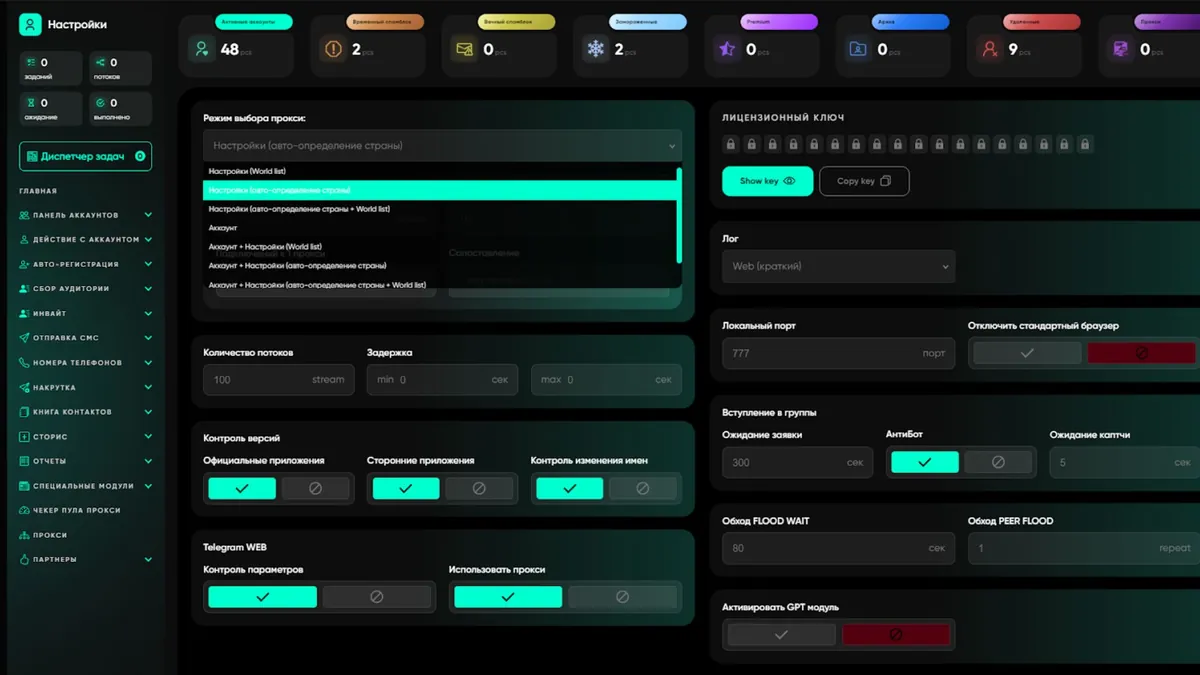
Alt: proxy mode settings for registration in Telegram Soft Expert
Step 3. Generate Parameters and Start Registration
Before registration, the “Parameter Generator” creates a database: which account works with which proxy, what API version is used, which device profile, and so on. This emulates a real phone—critically important for Telegram’s anti-spam systems.
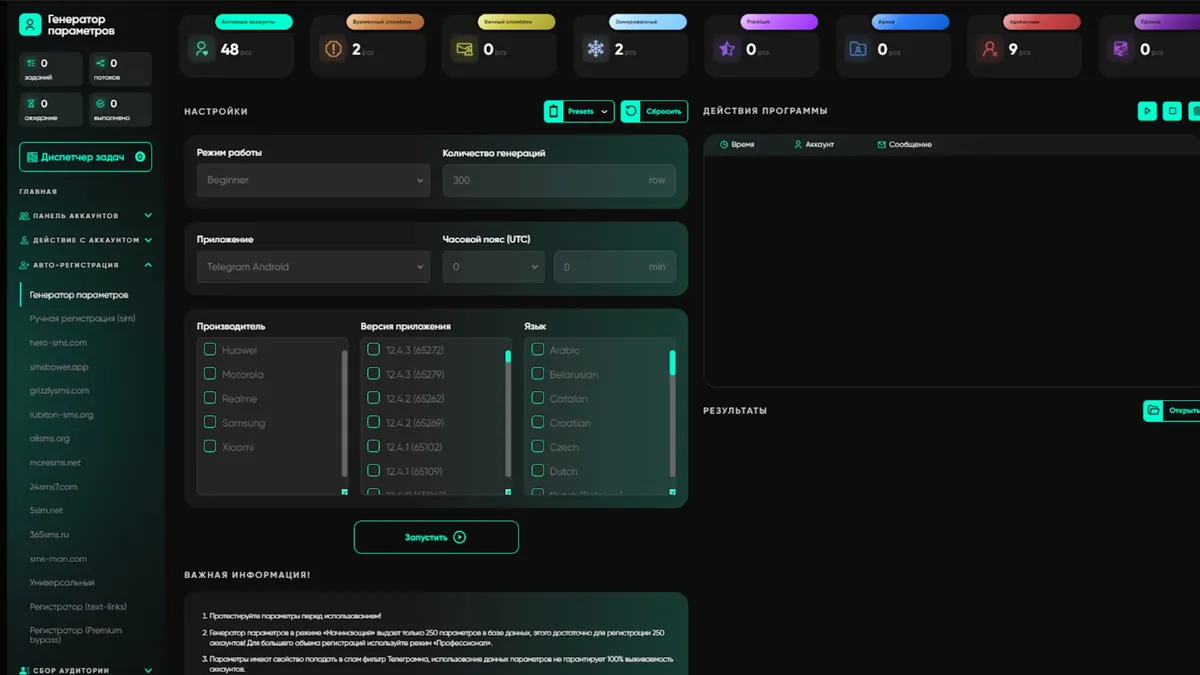
Alt: creating parameters for Telegram account registration in Telegram Soft Expert
After that, you can run “Registration via SMS services”. You select an optimal provider for purchasing numbers, set the core registration settings, and start the process. During the run, the software:
- takes a proxy from the queue according to your rules
- requests a number from the SMS provider
- emulates a mobile device
- registers the account and saves it immediately with the required parameters
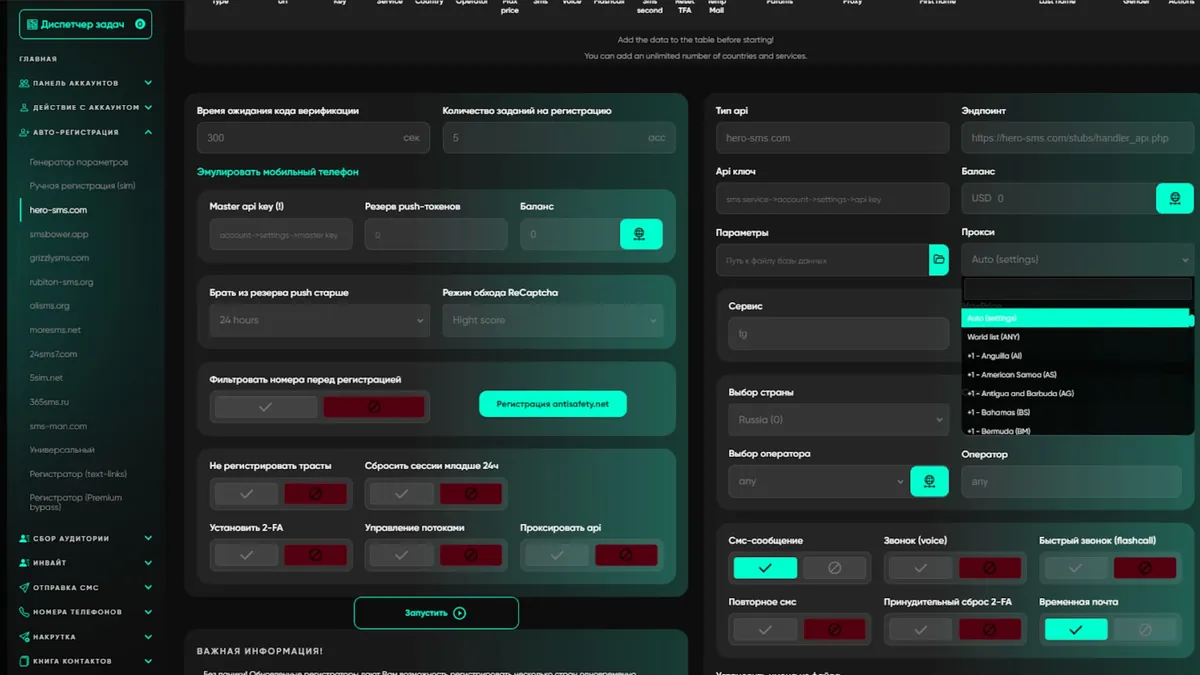
Alt: Telegram account registration in Telegram Soft Expert
Conclusion: How Not to Break Everything at the Start
Mass registration isn’t “buy proxies and go.” It’s a system.
- Choose the right type: mobile or residential SOCKS5.
- Check the pool: IP uniqueness should be close to 100%.
- Import and test proxies in Telegram Soft - Expert, discard dead ones.
- Set selection logic: hybrid modes with geo priority or hard one-to-one binding.
- Run auto-registration with device emulation.
Telegram Soft - Expert lets you close this loop in one window. You don’t need to keep ten instructions in your head—the software will distribute accounts across proxies, check them before launch, and carry out registration in a way that helps new sessions avoid filters.
Real Telegram work starts here: with the right infrastructure and a tool that can manage it.