

 Русский


 July 3, 2026
Bringing a person to a website is only half the task. What happens next depends on how easy it is for them to take the next step. Some users are ready to submit a request right away, some need to clarify a few details, and others do not want to speak on the phone but are willing to answer several questions in a chat.
That is why there is no universal lead generation tool. A classic contact form, online chat, quiz, and callback widget solve different tasks and work differently depending on the product, audience, and stage of the decision-making process.
Let’s look at which scenarios each of these tools works best in.
What Are Website Widgets?
Website widgets are small interactive elements embedded into a page that help visitors contact a company or submit a request without leaving the website. These include contact forms, online chats, quizzes, and callback buttons.
In essence, a widget plays the role of a salesperson on the floor: it offers the next step at the right moment and shortens the path from interest to inquiry while the user’s attention is still focused.
Such tools are useful for almost any business that collects leads through a website, but their effectiveness can vary significantly by segment. According to Envybox statistics, retail businesses receive an average 3x increase in conversion after implementing an online chat, while service companies receive 15 additional targeted inquiries per day when combining callback and chat tools. According to Kadema agency, up to 30% of all B2C requests come specifically from widgets.
As we have found, the most noticeable effect appears in areas where the purchase decision requires contact with a person:
in online stores and service businesses, where response speed matters;
in niches that require individual selection, such as real estate, medicine, equipment sales, financial services, and education.
For businesses with one-time demand and a small volume of inquiries, the set of widgets can be reduced to a minimum. However, projects that rely on paid traffic especially need them — otherwise, some already-paid visitors leave the website without taking any step toward conversion.
Next, we will look at each tool separately and see which scenarios it works best in.
Contact Form
A contact form is the most familiar way to get in touch with a company. It is suitable for almost any business and does not require additional actions from the user.
A form is especially effective when the visitor already understands what they need. For example, they want to order a service, book a consultation, or request a commercial proposal.
When designing a form, it is important to maintain balance. If there are too many required fields, some users may indeed abandon it. On the other hand, B2B companies or businesses offering complex services sometimes need to collect more information before the first call. Therefore, the optimal set of fields depends on the specific task — there is no universal rule.
A good practice is to regularly analyze which fields managers actually use in their work and which ones only make the path to submitting a request longer.
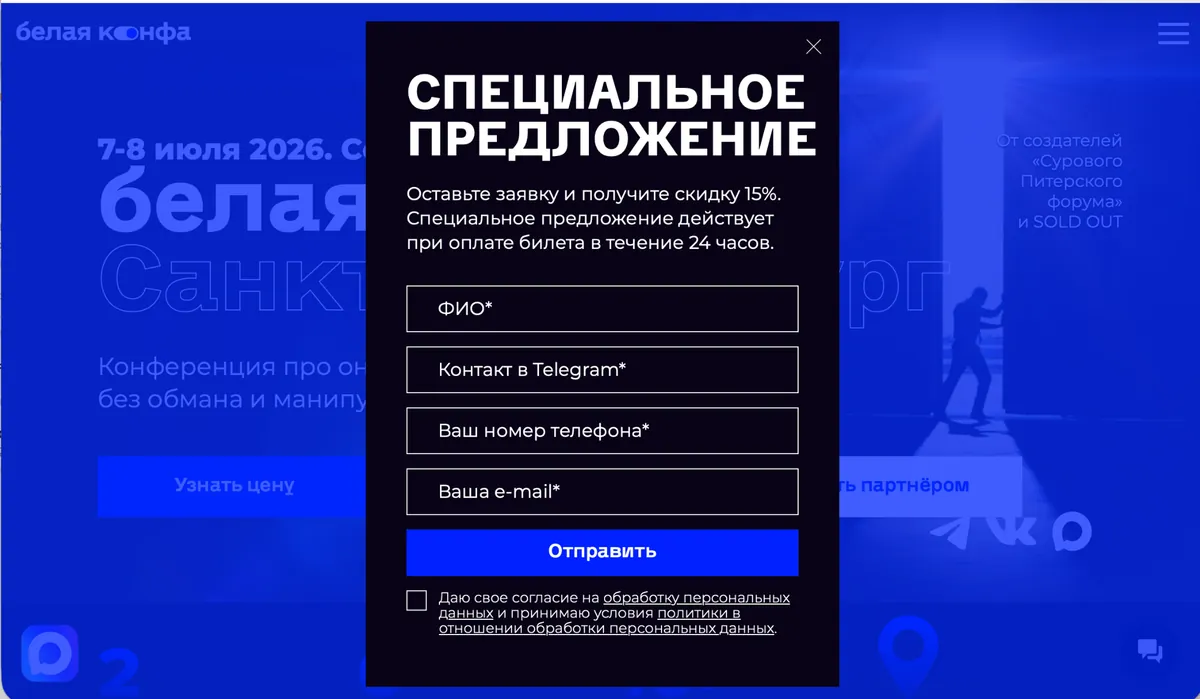
Example of a contact form on the “Belaya Konfa” conference website.
Online Chat
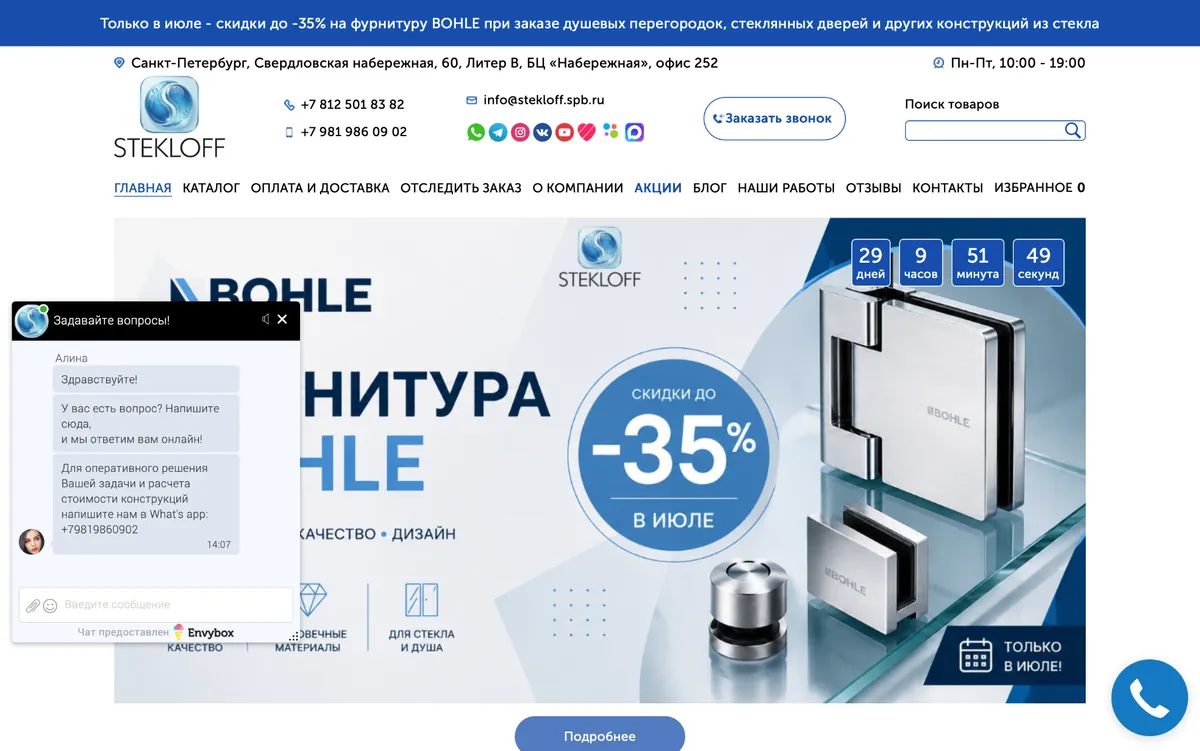
Envybox online chat on the website of STEKLOF.
Not every visitor is ready to leave their contact details right away. Often, a person only needs to ask one or two questions before making a decision.
Online chat helps shorten this path. It is convenient for clarifying prices, deadlines, product availability, delivery terms, or technical product details.
Today, many companies use not only live operators but also chatbots with elements of artificial intelligence. They can answer typical questions, collect initial information, and transfer the conversation to an employee if the request requires a more detailed consultation. This approach allows businesses to respond faster and reduce the workload on the sales department.
The main condition is that the user must be able to quickly switch to communication with a real person if the automated assistant does not solve their problem.
Callback
Callback remains a popular tool, especially in industries where communication speed affects the likelihood of a sale.
Real estate, medical services, complex equipment, financial products, corporate services — in such niches, many clients prefer to receive a consultation immediately rather than wait for a reply by email or message.
Modern callback services are no longer limited to a single “Call me back” button. They can take the company’s working hours into account, distribute inquiries among managers, record conversations, and automatically transfer information to the CRM.
But there is an important nuance. If a company promises to call back within one minute, but the manager contacts the client several hours later, the effect of such a tool drops sharply. Response speed remains one of the key factors in successful handling of incoming inquiries.
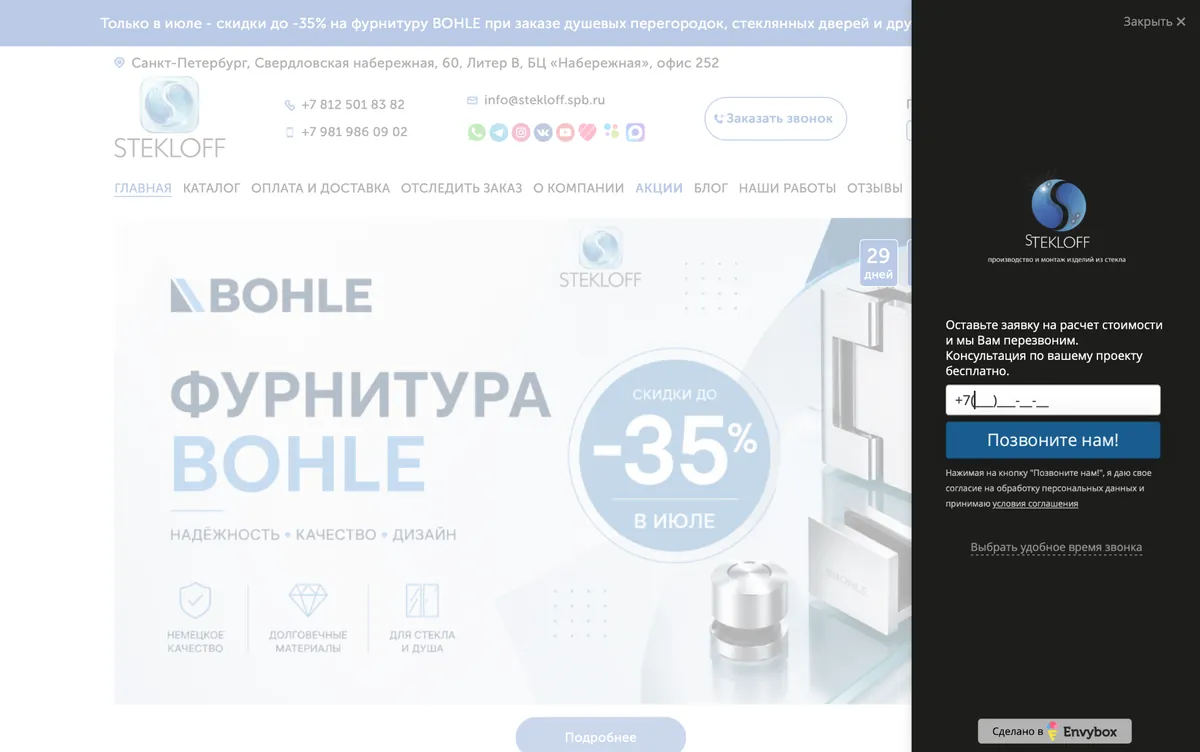 Envybox callback widget on the website of STEKLOFF.
Quiz
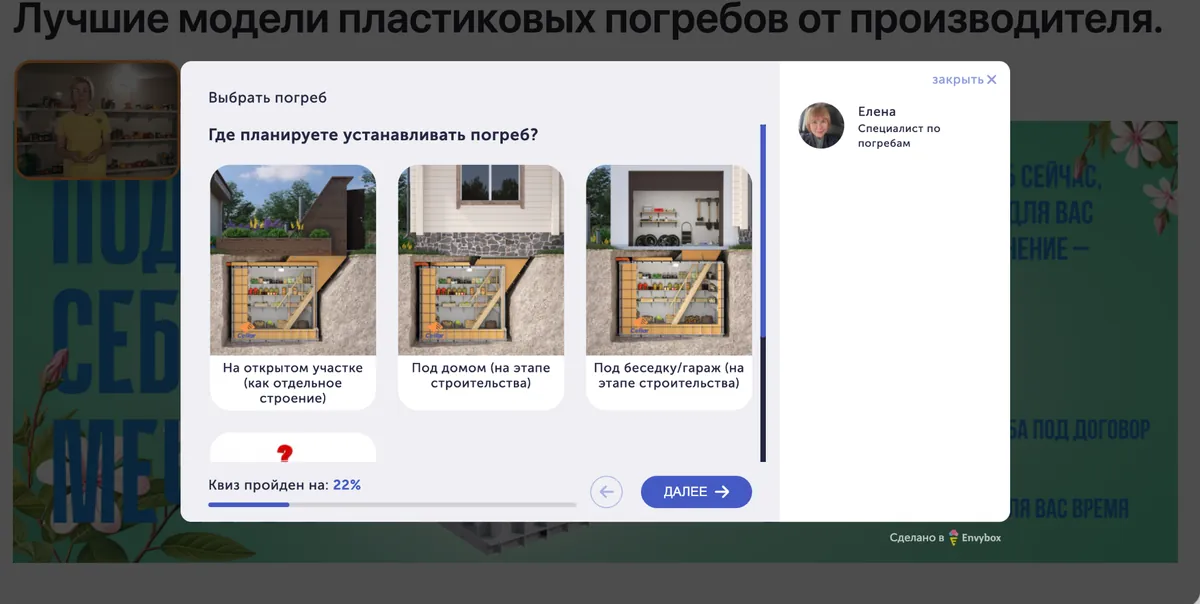
Quiz on the website of Sellar-Plastic.
A quiz works especially well in situations where it is impossible to give the same answer to every visitor.
This may include equipment selection, renovation cost calculation, tariff selection, insurance program choice, or marketing strategy development. Instead of filling out a long questionnaire, the user goes through a short scenario with sequential questions, while the company receives the information needed to prepare an offer.
It is important not to turn a quiz into a full-scale survey. The longer the user has to answer questions, the higher the chance they will not complete the scenario. That is why most successful quizzes are built around a few simple steps and a clear flow.
If the result is a personalized calculation, solution selection, or useful recommendation, users perceive this format much more positively.
Which Website Tool Should You Choose?
Trying to find a single perfect tool usually leads to losing some potential clients. People behave differently, and this should be taken into account.
If a visitor is already ready to make a decision, a simple form is enough.
If many clarifying questions arise before purchase, it makes sense to offer online chat.
When a product requires individual selection, it is more convenient to guide the user through a quiz.
If the main value of the sale is revealed during a conversation with a manager, it is better to offer the option to request a callback.
In many projects, these tools work together. For example, a form remains the main way to submit an inquiry, chat helps remove doubts, and callback is used on pages for expensive services or complex products.
This is confirmed by a case study: despite having basic contact options in the form of a call button and messengers, the conversion rate of the STEKLOFF website remained low. The business was looking for additional tools and, on the recommendation of SEO specialists, implemented a combination of Envybox callback and online chat. Adapting the website to the convenience of visitors helped solve the conversion issue. Now the widgets generate at least 30 inquiries per month.
It Is Important Not Only to Receive a Lead, but Also Not to Lose It
Even the most convenient tool will not be useful if the inquiry remains unanswered or gets lost between several services.
That is why more and more companies combine forms, online chats, callback services, messengers, and CRM into a single system. This allows them to process inquiries faster, preserve communication history, and automatically distribute leads between managers.
If a business operates in several markets at once, another task appears: making sure that all these tools work correctly for users from different countries. For example, forms may behave differently depending on the region, while certain services or website elements may load with a delay or be unavailable.
In such cases, proxy services can help by allowing businesses to check how the website works from the perspective of users in different countries and networks. For example, PSBProxy provides access to residential, mobile, and data center proxies in a large number of countries. This makes it possible to test forms, online chats, calls, and other website elements in conditions that are as close to real user experience as possible — before clients notice the problem.
Each tool solves its own task. A form helps quickly collect inquiries from already interested visitors. Online chat removes doubts before purchase. A quiz simplifies the selection of complex products and services. Callback speeds up communication in cases where speed truly affects conversion.
In practice, the best results are usually achieved by companies that do not rely on one communication channel but build several user interaction scenarios. This approach makes it possible to account for different visitor behavior patterns and reduces the likelihood that a potential client will leave the website simply because the only proposed contact method did not suit them.