


OpenGSC: review
OpenGSC is a free self-hosted SEO dashboard: all your Google Search Console sites in one window plus an AI content toolkit on your own VPS instead of a $19–79/month subscription.
What is OpenGSC
Prepared by the OpenGSC team
OpenGSC is an open-source self-hosted SEO platform (MIT): a unified Google Search Console dashboard and an AI content toolkit on your own VPS. The stack is Next.js 16, TypeScript and SQLite; installing with install.sh takes about 5 minutes. The current version is 1.14.0, with the interface in eight languages.
Why it exists
SaaS dashboards charge $19–79 a month to aggregate Search Console data that is already yours. OpenGSC shows the same and more for the cost of a VPS from ~$5: unlimited sites and accounts, data in your own database, and no third-party server sees it (important for agencies under NDA).
Analytics
Clicks, impressions, CTR and positions for all sites in one window; Bing and Yandex Webmaster connect as separate modules, Google Analytics 4 and Microsoft Clarity in a couple of clicks. On top of the basics come four growth reports: striking-distance keywords (positions 4–20), cannibalization, content decay (pages losing traffic) and CTR benchmarks against typical values for each position.
AI toolkit (/seo-tools)
The full cycle: keyword clustering → outlines → batch text generation → rewriter → publishing to WordPress. Articles are built on real demand data from Search Console. An AEO/GEO audit checks whether the site appears in answers from ChatGPT, Perplexity, Claude and Grok. Providers run on your own keys: Anthropic, OpenAI, Gemini, Z.AI, OpenRouter, Kimi and any OpenAI-compatible API.
Links, domains and reports
Backlinks from six providers (Ahrefs, Semrush, Majestic, Keys.so, DataForSEO, Crawlgraph) in one profile, toxicity analysis and disavow-file generation. A domain catalog checks DR and Wayback history before you buy. Local SEO: NAP checks and geo-grid rankings. White-label client reports (HTML + PDF), an audit widget for lead capture, and alerts to Telegram, Slack, Discord, Teams, e-mail and webhooks. Teams get viewer/editor/admin roles; agency workflows get an MCP server with 100+ tools for Claude Code and Cursor.
What to keep in mind
You need a VPS and a domain (Google OAuth doesn't work on a bare IP). Updates are one click in the panel: the server downloads, migrates and restarts the new version itself. One instance serves one workspace. The core is free; paid APIs (AI providers, link metrics) connect with your own keys. For a single site, native Search Console is enough — OpenGSC shines with site portfolios and agencies.
Who it is for and what to consider
A quick look at who OpenGSC suits and what to keep in mind before installing it.
Who it is for
- SEO specialists with site portfolios — dozens or hundreds of properties in one dashboard
- Agencies — white-label reports, roles and an audit widget for leads
- Anyone who wants to keep Search Console data in-house
What to consider
- You need a VPS and a domain (Google OAuth doesn't work on a bare IP)
- One instance — one workspace, no multi-tenancy
- Paid APIs (AI, Ahrefs/Semrush, etc.) use your own keys
How to get started with OpenGSC
Three steps to your first result.
Create an OAuth app
Create an OAuth app in Google Cloud Console — step-by-step guide in the wiki.
Install
Install OpenGSC with one command on a VPS (Ubuntu 22.04+) and create the owner account.
Connect Google
Sites load automatically; compare 7-day clicks with native Search Console.
Questions about OpenGSC
Is OpenGSC really free?
What do I need to install it?
How is OpenGSC different from SaaS dashboards?
Are search engines other than Google supported?
Can a team use it?
Related articles

HTTP, HTTPS and SOCKS5 Proxies: What's the Difference and Which to Choose
When you buy proxies, you almost always have to pick a protocol: HTTP, HTTPS or SOCKS5. The difference goes beyond the name — the protocol d
Mobile vs Residential Proxies for Data Collection: How to Choose and Estimate GB Usage
Partner content. Prepared together with the ProxyShare team. When proxies are billed per gigabyte, two questions decide your budget: which
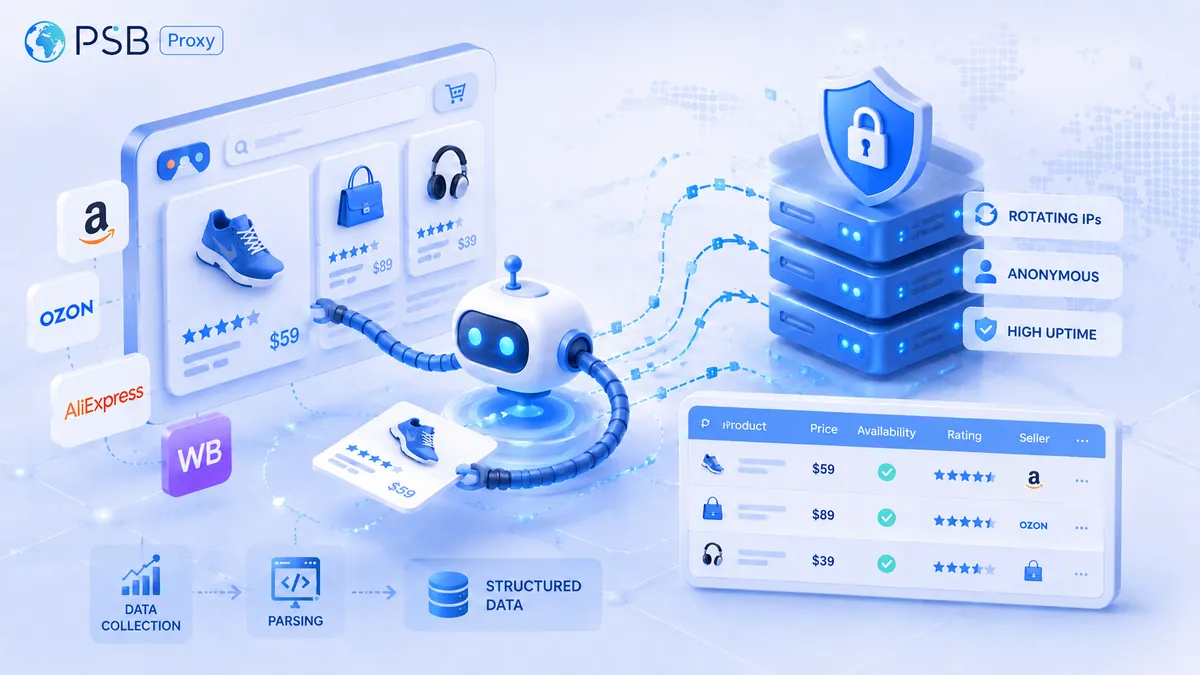
What types of proxies are needed for marketplace scraping: residential, mobile, or datacenter proxies?
Online stores, analytics services, and advertising agencies often collect information from e-commerce platforms using specialized data-parsi
Mobile vs Residential Proxies: Choosing and Budgeting Traffic
Partner content. Prepared together with the NSOCKS team. Mobile and residential proxies route requests through different access networks.