

 March 20, 2026
Securely managing multiple online accounts has become essential for social media teams, e-commerce operators, affiliate marketers, and QA professionals. BitBrowser provides a modern, reliable solution by offering fully isolated browsing profiles, real-device fingerprint simulation, and its standout Cloud Phone feature for mobile-based workflows.
In this guide, we’ll break down what BitBrowser is, its core features, pricing, advantages and drawbacks, and provide a step-by-step setup tutorial.
What Is BitBrowser?
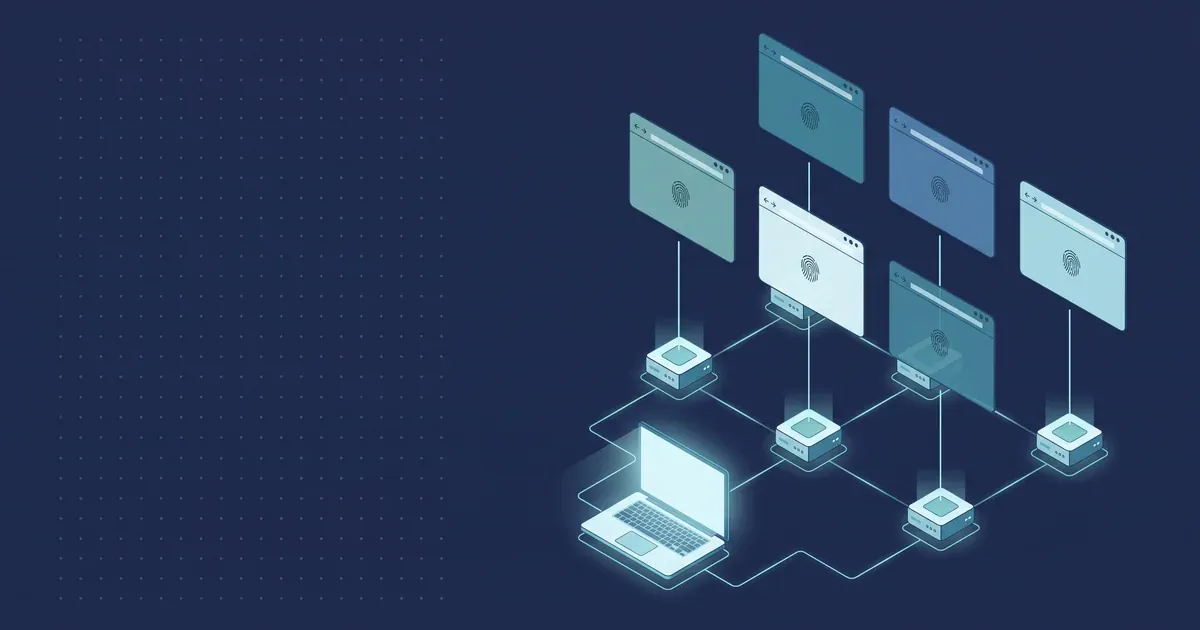
BitBrowser is a multi-profile anti-detect browser built to create completely isolated browsing environments. Each profile functions like a separate physical device, with its own operating system, browser engine (Chromium or Firefox), timezone, fonts, WebGL settings, sensors, and network configuration.
Each profile can also be assigned a unique proxy, ensuring full separation of IP addresses and geographic locations.
One of BitBrowser’s most powerful features is Cloud Phone — a virtual Android environment that allows you to run mobile apps, simulate sensors, and access the Google Play Store for mobile-first workflows.
Who Should Use BitBrowser?
BitBrowser is ideal for:
- Cross-border e-commerce teams managing multiple stores
- Social media managers handling multiple accounts
- Affiliate marketers and ad buyers running multi-identity campaigns
- QA and testing teams needing reproducible, isolated environments
- Businesses that require independent browser sessions for legitimate operations
Key Features
- Multi-Profile Management – Each profile runs in its own sandboxed environment
- Proxy Support – Assign individual HTTP, SOCKS5, or SSH proxies (static or rotating)
- Cloud Phone – Run Android apps in a virtual mobile device with SIM and carrier simulation
- Batch Tools – Bulk-create profiles, import/export cookies, and assign proxies via CSV
- Local API & Automation – Automate tasks using scripts or built-in RPA tools
- Team Management – Add sub-users, set quotas, and control permissions
- Advanced Fingerprint Control – Precisely customize parameters to emulate real devices
Pricing Overview
| Plan | Profiles | Key Features | Approx. Price |
|---|---|---|---|
| Free Plan | 10 | Basic profile, proxy & fingerprint management | Free (permanent) |
| Starter | 100 | Batch tools, basic automation | $15/month |
| Professional | 300 | API access, sub-accounts, team features | $69/month |
| Enterprise | 1,000+ | Full automation, priority support, Cloud Phone discounts | Custom |
| Cloud Phone | Pay-as-you-go | Mobile simulation & Play Store access | From $0.03 / 24h |
Always confirm the latest pricing on the official BitBrowser website.
Pros & Cons
Pros
- Permanent free plan — ideal for testing and small teams
- Integrated Cloud Phone for mobile automation and testing
- Strong fingerprint customization with Chromium and Firefox support
- Powerful batch tools and API-based automation
Cons
- Performance may decline with heavy workloads — testing is recommended
- Improper use can violate platform policies — compliance is critical
- Proxy quality significantly affects reliability
Why BitBrowser Stands Out
Unlike standard browsers that share system fingerprints and IP data, BitBrowser assigns each profile its own fingerprint, IP address, and browser kernel.
This deep isolation makes each profile appear as a completely separate device — a key requirement for safe, scalable multi-account management in 2026.
Getting Started: Step-by-Step Setup
1. Download & Create an Account

Visit the official BitBrowser website and download the client for Windows or macOS.
Register, verify your email, and start with the permanent free plan (10 profiles).
2. Create Your First Profile

Click New Profile and select Chromium or Firefox.
Configure OS type, screen resolution, timezone, language, and geolocation.
Save and launch the profile in a new isolated window.
3. Add a Proxy (Highly Recommended)

Go to Profile Settings → Network and enter your proxy host, port, and credentials.
Test the IP and location. Residential or mobile proxies deliver the best results.
4. Configure Fingerprints
Use the built-in fingerprint generator or manually adjust parameters.
Test profile uniqueness using tools like Whoer or AmiUnique.
5. Use Cloud Phone (Mobile Simulation)
Create a Cloud Phone profile and configure carrier, proxy, and device specs.
Launch the virtual Android device, install apps from Google Play, or sideload APKs.
Billing starts at approximately $0.03 per 24 hours.
Scaling Up: Batch & Team Features
- Bulk-create profiles using CSV templates
- Import/export cookies to preserve sessions
- Add sub-accounts and assign usage limits
- Allocate Cloud Phone credits to control costs
Automation with Local API & RPA
BitBrowser’s Local API allows you to automate tasks such as launching profiles, visiting URLs, and entering data. Built-in RPA tools support automated logins, form filling, and scraping.
Example workflow for managing five Instagram accounts:
- Create five unique profiles (different OS, timezone, and language)
- Assign one residential proxy to each profile
- Log in to one Instagram account per profile
- Use Cloud Phone if mobile verification is required
- Space activities naturally and export cookies for backups
Quick Proxy Selection Tips
| Proxy Type | Best For | Notes |
|---|---|---|
| Mobile / Residential | Social media, ads | High trust, higher cost |
| Datacenter | Testing | Fast but easier to detect |
| Rotating | Large-scale automation | IP changes per session |
Security, Ethics & Compliance
BitBrowser is a powerful tool, and responsible use is essential:
- Follow platform terms of service
- Avoid spam, impersonation, or deceptive practices
- Use for legitimate purposes such as QA testing, ad verification, or account management
- Stay compliant with local laws and privacy regulations
Troubleshooting & Best Practices
- Run fingerprint tests regularly to prevent leaks
- Reduce the number of active profiles if performance drops
- Test small setups before scaling
- Regularly export cookies and profile data for backups
Final Verdict: Is BitBrowser Worth It?
BitBrowser delivers a strong combination of desktop profile isolation, mobile simulation via Cloud Phone, and advanced fingerprint control — all backed by a permanent free plan.
For teams managing multiple online identities ethically and securely, BitBrowser stands out as one of the best anti-detect browsers of 2025. While it requires proper setup and quality proxies, when used responsibly, it’s a powerful and scalable solution.