

 November 4, 2026
To work effectively with paid traffic you need a whole toolkit: quality proxies, payment cards, ad accounts and analytics tools. Each plays its part, but without proxies you simply can’t run campaigns across different countries.
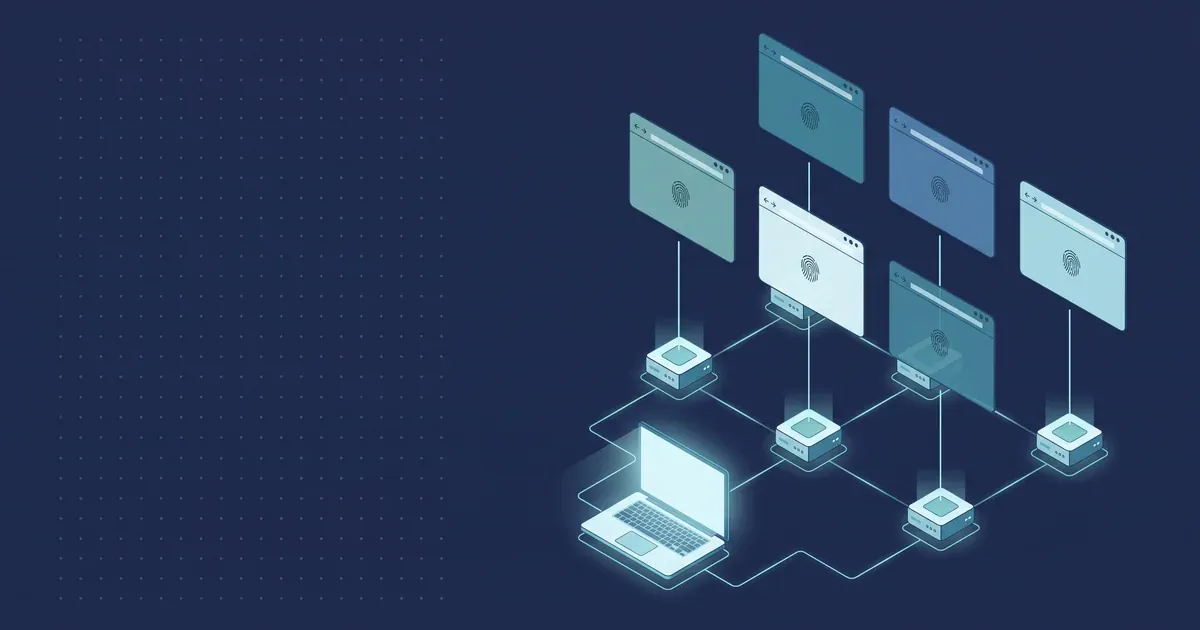
Good proxies give you an IP in the right country and city, so you see ads, search results and landing pages the way your audience in the target geo sees them. But when you manage many accounts, an IP alone isn’t enough — each profile needs its own separate environment: cookies, browser settings, time zone and language. Otherwise profiles start to “mix”, and working with them becomes inconvenient and unreliable.
That’s why media buyers, SMM teams and agencies use antidetect browsers. Dolphin {anty} is one of the most popular solutions on the market: it fully isolates profiles from each other, gives each one its own digital fingerprint and makes working with proxies easy.
How Dolphin {anty} builds a digital fingerprint
Dolphin {anty} goes beyond surface-level settings: each profile gets its own unique fingerprint. In effect, every profile works like a separate user with its own device, IP, system and settings.
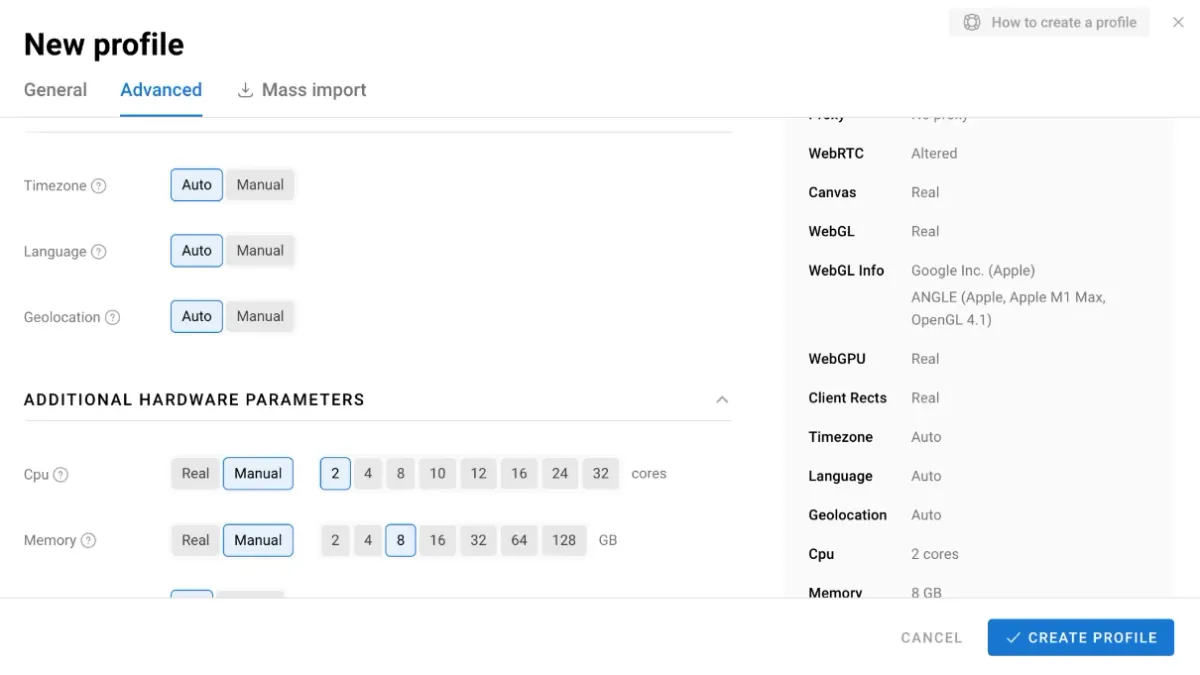
The browser configures dozens of technical parameters, including:
- User Agent — device type, browser and OS version;
- time zone and locale;
- WebRTC — the browser doesn’t expose your real IP and uses the profile’s proxy IP instead;
- Canvas and WebGL — graphics card and rendering data;
- HTTP headers and fonts;
- device name — a unique feature competitors don’t have.
As a result, every profile is fully isolated and profile data never overlaps. This makes Dolphin {anty} a convenient tool for working with a large number of accounts.
Working with proxies
Proxy integration in Dolphin {anty} is designed so you can connect proxies in any format and start working right away. It takes just a few steps.
Step 1. Sign up and install. Register on the Dolphin {anty} website, download the installer and install the browser.
Step 2. Buy proxies. Get proxies from a provider — for example, residential or mobile IPs in the right country from PSB Proxy.
Step 3. Add proxies. There are two ways:
- when creating a new profile — in the proxy settings;
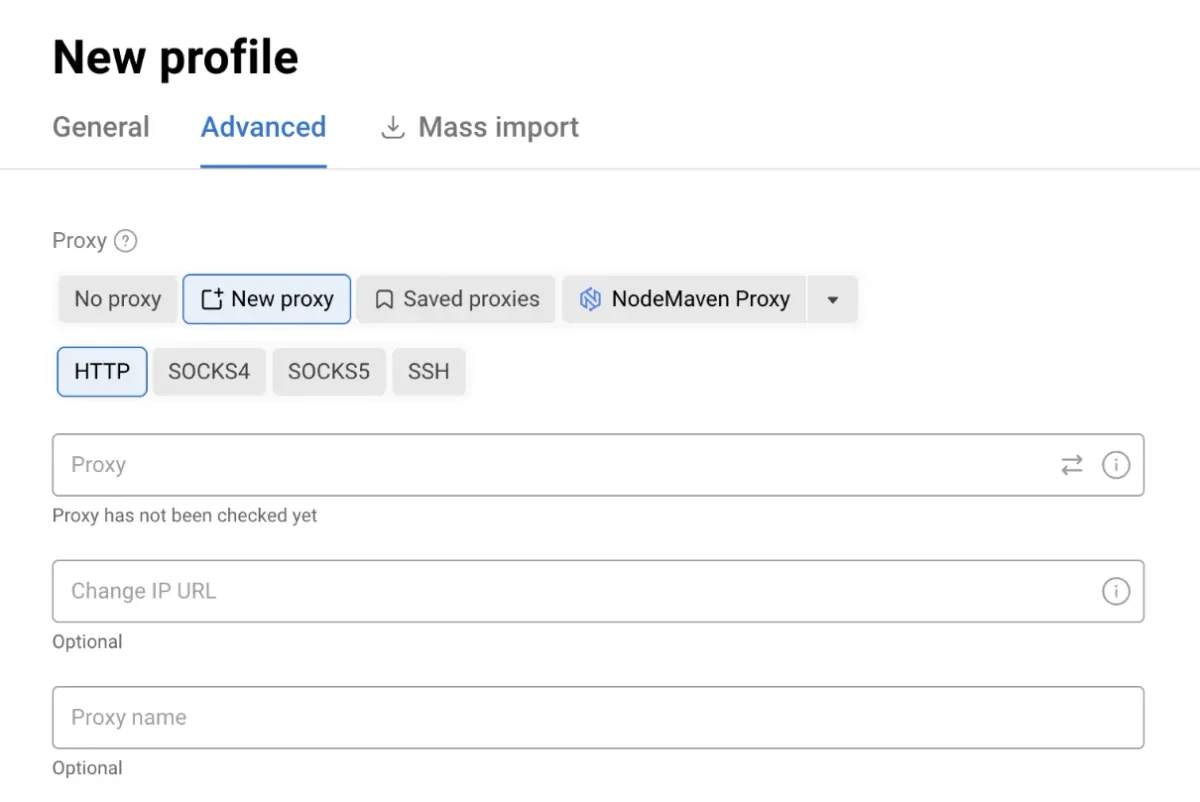
- in the separate “Proxy” tab — add proxies in advance and then assign them to profiles from the list.
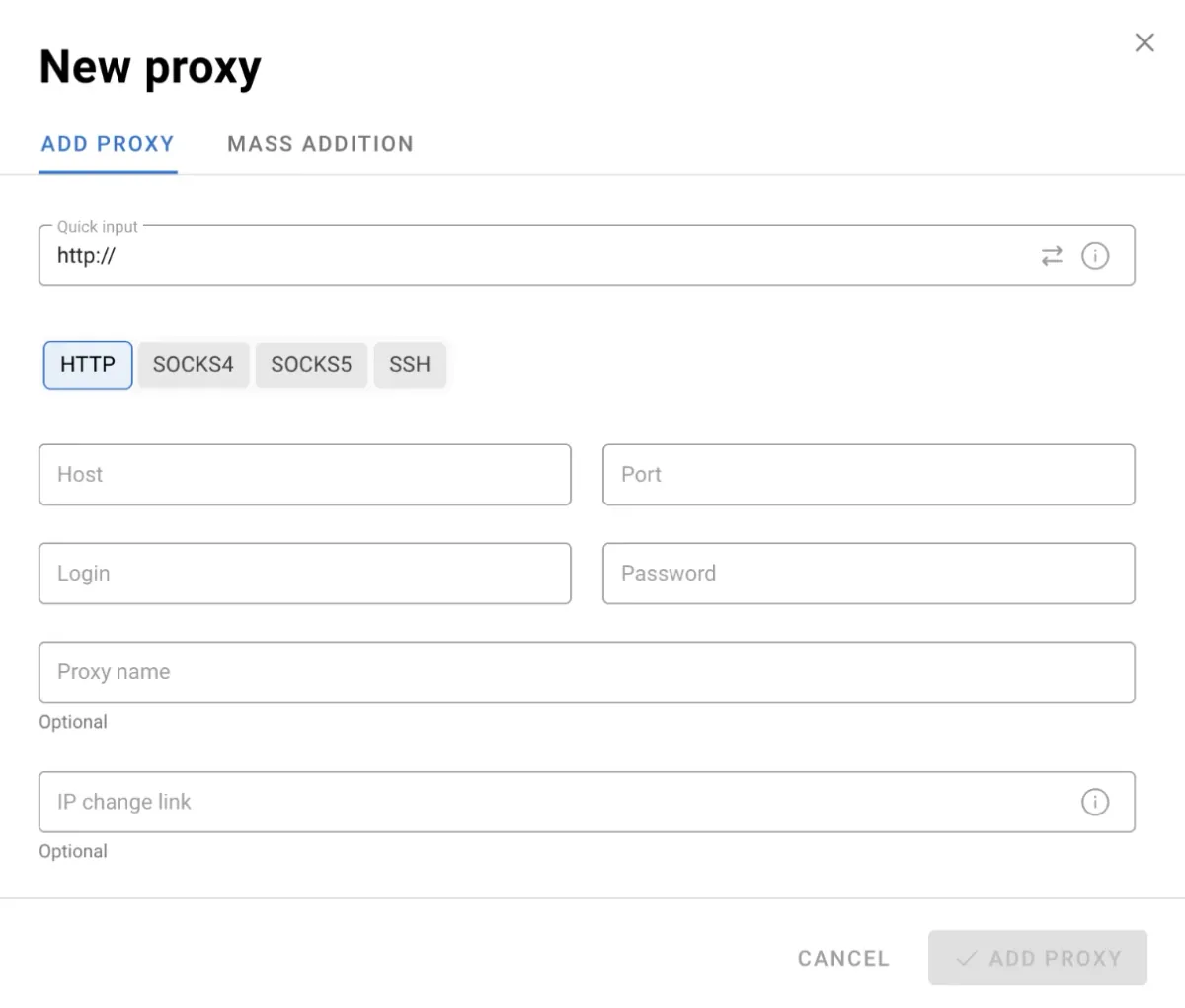
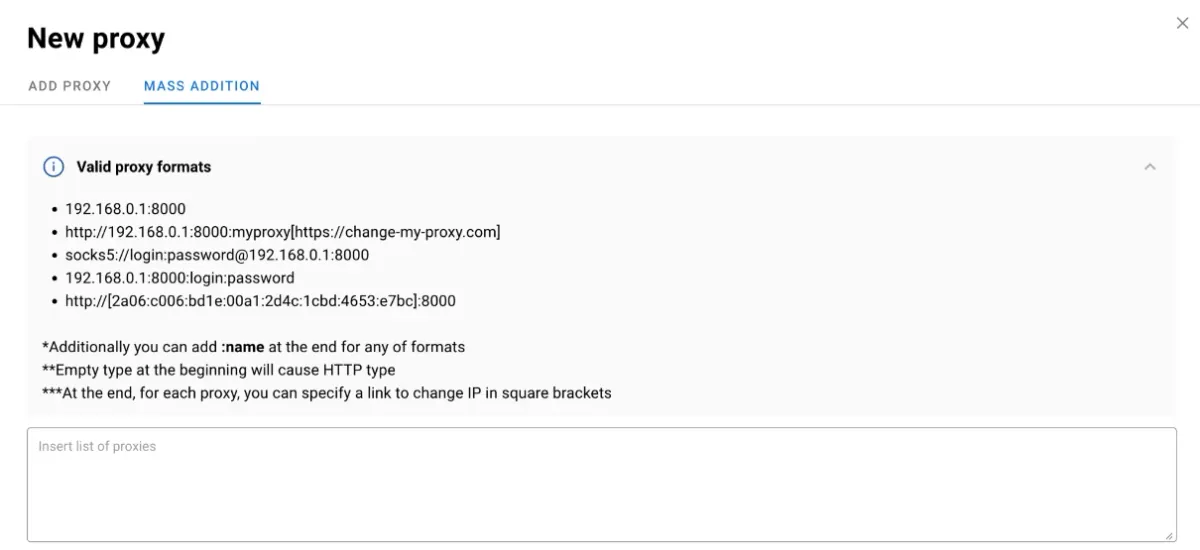
You can also add proxies in bulk: there’s a dedicated menu with a hint on supported formats, so the browser recognizes them without errors.
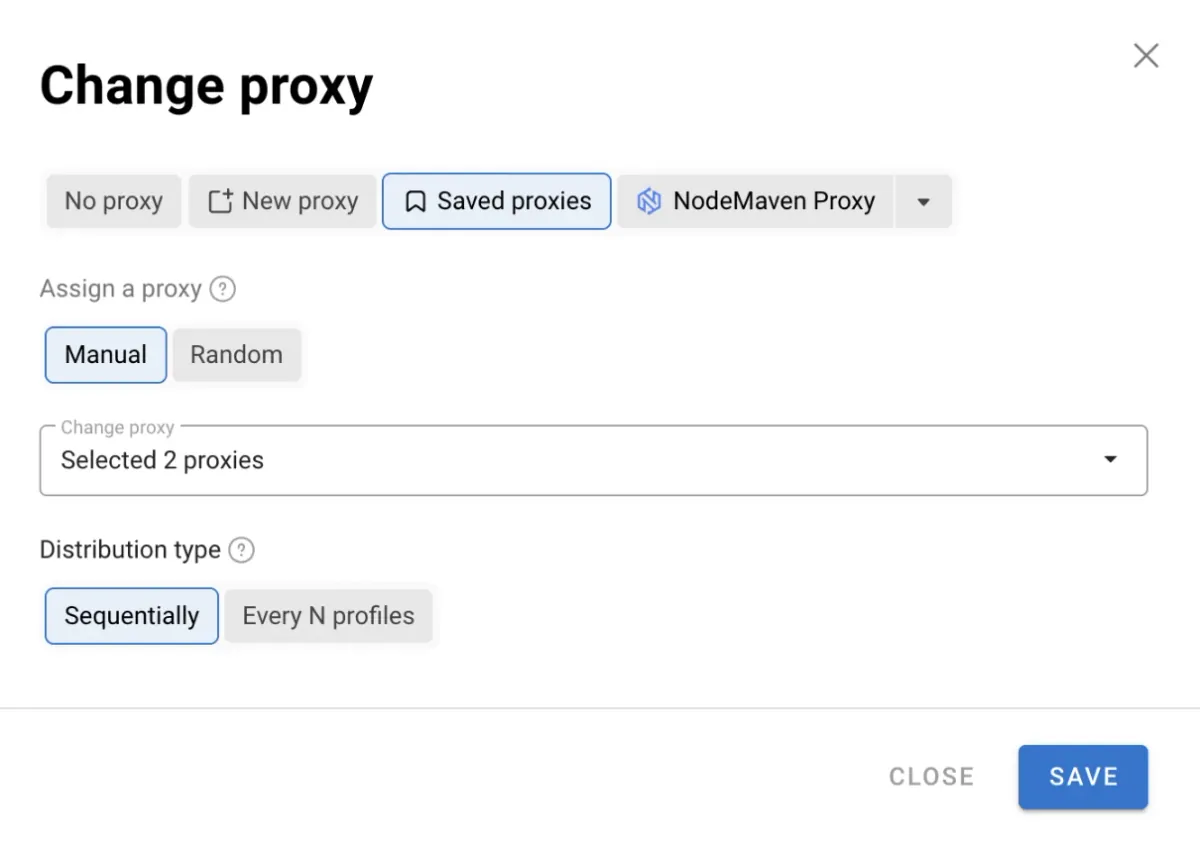
There’s also bulk proxy assignment: in a couple of clicks you can apply proxies to dozens of profiles manually or randomly, sequentially or to every n-th profile.
Once added, proxies are shown in the main menu, with active IPs, connection type and geolocation. Thanks to these features Dolphin {anty} saves time and keeps proxy management clear even with hundreds of profiles.
Workspace
The Dolphin {anty} interface is built for large volumes — hundreds of profiles — while staying logical and easy to use.
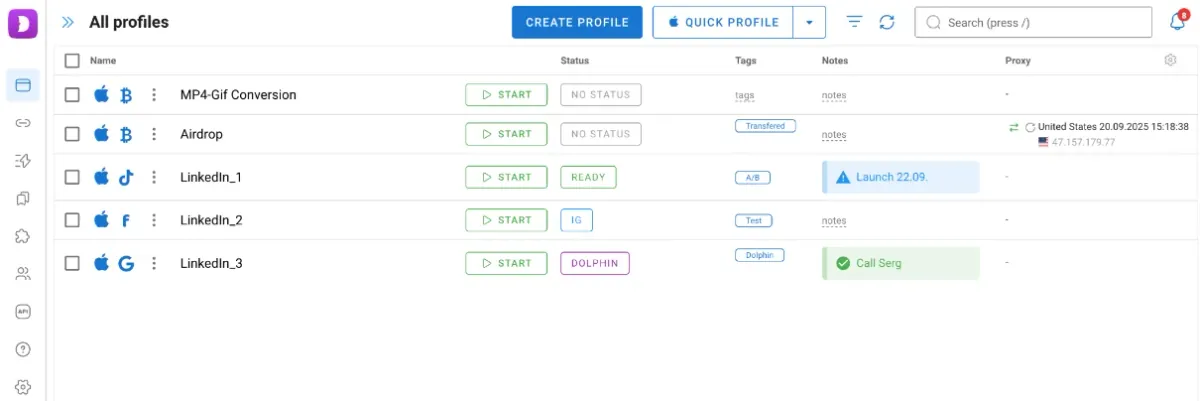
In the workspace you can:
- add statuses and tags to profiles and group them into folders;
- add notes to each profile and mark profiles with icons and colors;
- pin important profiles to the top of the list;
- protect profiles with a password to restrict access;
- filter profiles by many parameters;
- customize columns and the information shown to fit your workflow;
- set start pages and bookmarks for each profile (they can also be organized into folders).
All of this helps you find the right profiles quickly and keep even large advertising setups under control.
Automation
Dolphin {anty} automates routine work. The browser includes several tools that noticeably speed up work with many profiles.
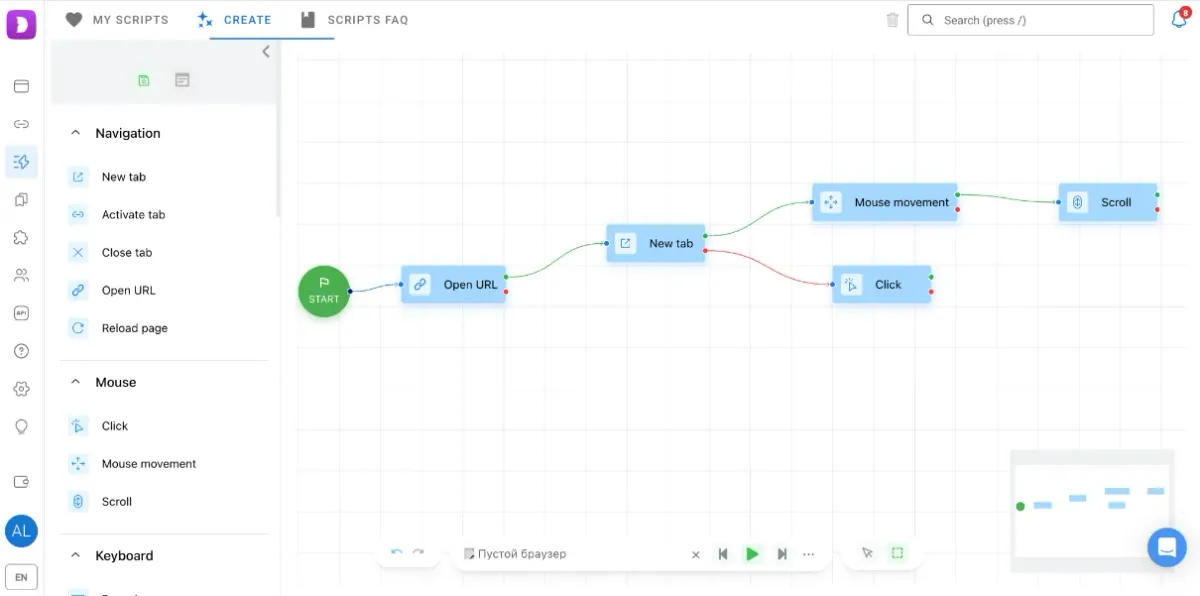
Scenarios. A visual builder for creating sequences of actions: clicks, form filling, page navigation and so on. No coding required — everything is built on an interactive map.
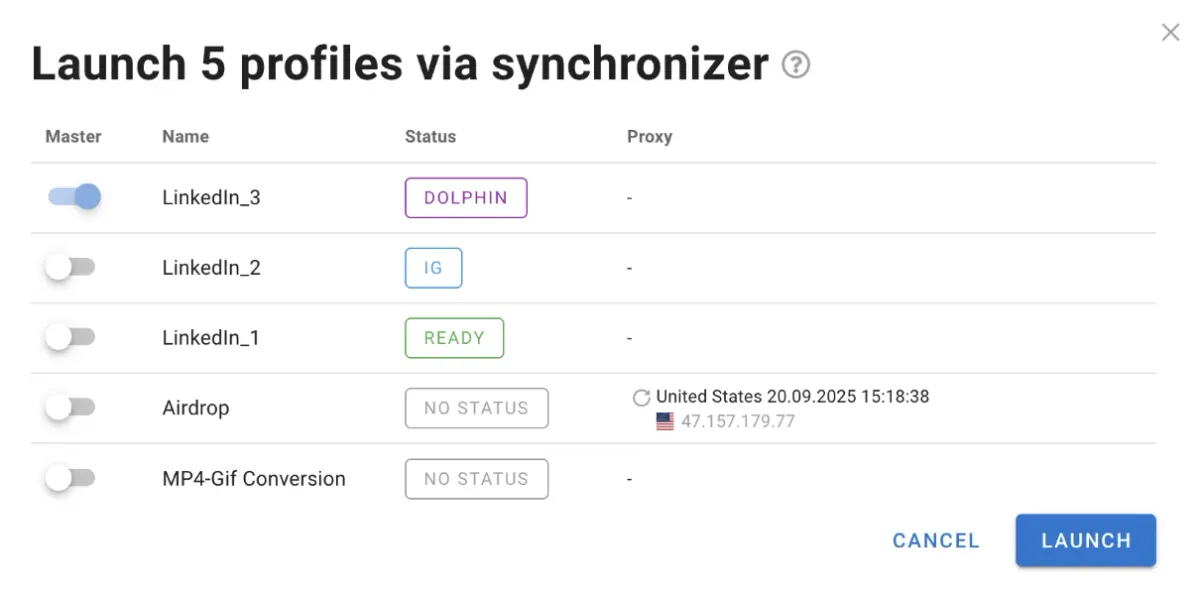
Synchronizer. Copies the actions performed in the main profile and repeats them in real time in child profiles. It’s handy when you need to perform the same operations in several profiles at once — for example, checking a campaign launch.
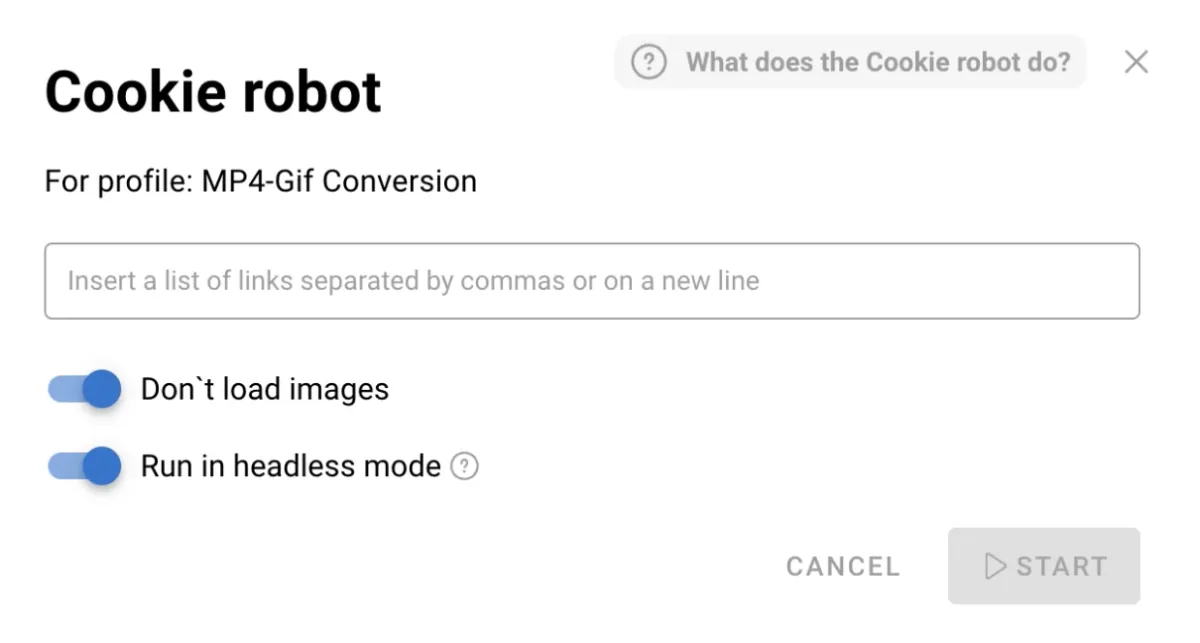
Cookie robot. Visits the websites you specify and collects cookies, so a new profile isn’t “empty” and is comfortable to work with from the first launch. The cookie robot can run in the background and without loading images — especially useful with proxies billed by traffic.
Teamwork and pricing
Working with traffic is often a team effort. When you run dozens of campaigns and hundreds of profiles, a clear access structure matters. Dolphin {anty} supports roles:
- team lead manages tasks, assigns roles and tracks results;
- admin is responsible for security, updates and profiles;
- user works only with their own profiles, without access to sensitive data.
This is set up in the “Users” tab on the left panel. Profiles can be transferred or shared with colleagues, while the owner always stays in control of their data.
Dolphin {anty} plans:
- Free — a full version with 5 profiles, no time limit and no card required;
- Free+ — from $10/month for 10 profiles, good for beginners;
- Base — $89/month for 100 profiles, best for solo buyers and small teams;
- Team and Enterprise — from $159 and $299, for large teams and agencies.
Conclusion
Proxies give you IPs in the countries and cities you need, while Dolphin {anty} provides profile isolation, convenience and scale. Together they make an effective pair for media buyers and teams: proxies handle geo and IP, and the antidetect browser keeps every profile separate and independent.