


 November 2, 2026
BitBrowser is an antidetect browser for running many separate browser profiles on one computer, each with its own fingerprint and its own proxy. It has a permanent free plan with 10 profiles, paid plans start at $10 a month, and it supports HTTP(S), SOCKS5 and SSH proxies. Below: who it fits, what the plans include, how to create a profile, and how to add a proxy to it so the profile looks consistent. If you still need addresses for your profiles, take a look at residential proxies and mobile proxies.
What BitBrowser is and who uses it
A regular browser shows every site the same set of signals: your IP address, screen size, fonts, time zone, graphics settings and dozens of other parameters. An antidetect browser lets you assign a separate set of these parameters to each profile, so one computer can run many isolated browser environments. BitBrowser builds profiles on Chromium or Firefox kernels, and the developer states that it can generate fingerprint values based on the proxy you attach.
The features that matter in daily work:
-
isolated profiles with their own cookies, storage and fingerprint;
-
a separate proxy for each profile: HTTP, HTTPS, SOCKS5 or SSH;
-
batch import and export of profiles and proxies;
-
team accounts with roles and permissions;
-
a Local API and RPA automation for repetitive tasks;
-
an extension center and a script market.
Typical users are e-commerce teams that manage several stores, agencies that handle client accounts, QA specialists who need clean environments for testing, and marketers who check how ads and pages look from different countries. If you run accounts on platforms with strict rules, read the terms first: an antidetect browser does not give you permission to break them, and no setup can promise that an account will never be restricted.
Strengths and limits at a glance
-
Strengths: a permanent free plan, low prices on paid tiers, all proxy protocols on every plan, Local API and RPA included, team permissions.
-
Limits: a free-plan cap on daily launches and new profiles, manual choice of the proxy type, a Check Proxy button that you have to press yourself instead of automatic validation, and, according to the RapidSeedbox review, a client for Windows and macOS only and limited documentation in English.
BitBrowser also sells separate cloud products: BitCloudPhone for Android and iOS and BitCloudPC. They are priced separately from the browser, and we do not cover them here.
Independent reviews point to some trade-offs. The RapidSeedbox review (August 2026, written by a proxy provider) mentions a learning curve for beginners, limited documentation in English and support hours tied to Hong Kong business time. Treat this as a reminder to test the free plan before you move a working team onto it.
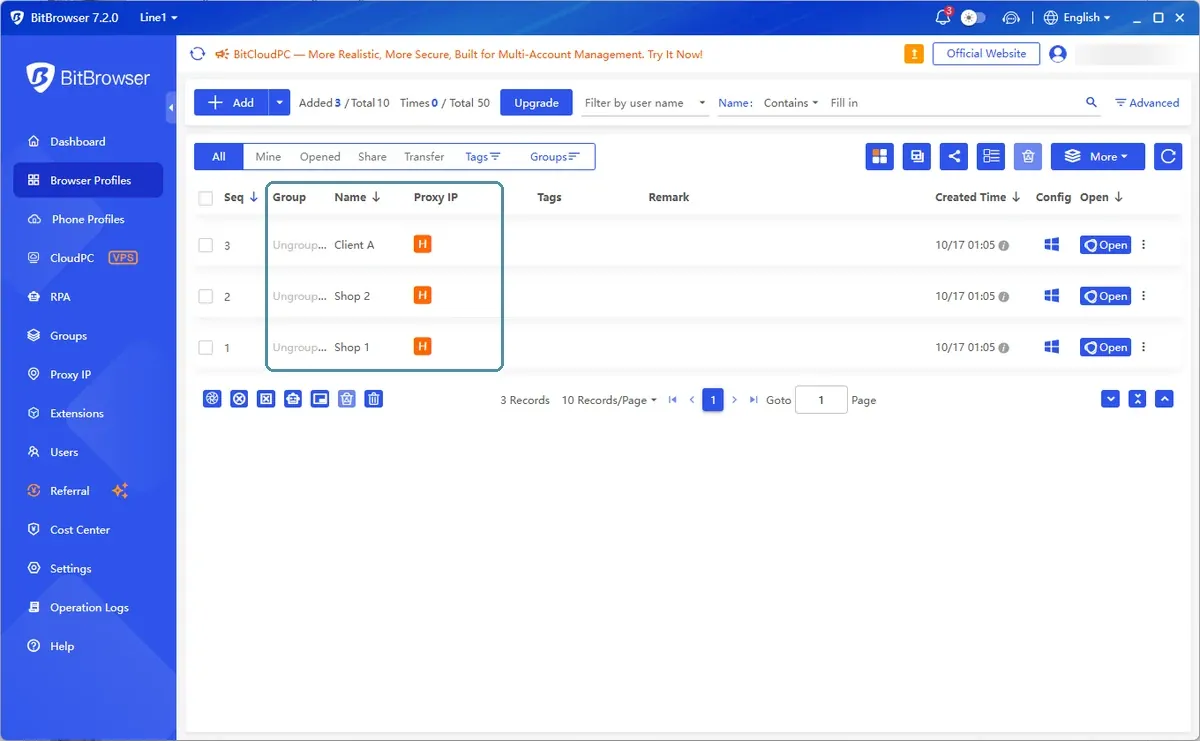
The profiles list: each row shows the group, the name and the proxy type.
Plans and pricing
Prices below are taken from the official BitBrowser pricing page on October 16, 2026. Check it again before you buy: plans and discounts change.
|
Plan |
Profiles |
Team members |
Price per month |
|
Free |
10 |
1 |
$0, permanent |
|
Paid, small |
50 |
2 |
$10 |
|
Paid, medium |
100 |
4 |
$15 |
|
Paid, large |
200 |
8 |
$25 |
|
More profiles |
Larger packages, shown inside the client |
Custom |
See the client |
-
The free plan has daily limits: 50 profile launches per day and up to 20 new profiles created per day.
-
Paid periods carry discounts: 10% for a quarter, 20% for half a year, 30% for a year.
-
Paid plans add exports and backups of profiles and cookies, sharing and transferring profiles, a recycle bin, and priority support.
-
The free plan already includes the Local API, RPA, team permissions and all proxy protocols.
For testing, 10 profiles are enough to check how your proxies, sites and workflow behave together. Move to a paid plan when you run out of profiles or need team access for more than one person.
Creating a profile: fingerprint basics
The Add window in BitBrowser is one long form with four blocks: Basic, Proxy, Preference and Fingerprint. A good order is to fill them from top to bottom and press Confirm only when everything matches.
1. Basic. Name the profile and, if you work in a team, set the group and tags. Put profiles for one project into one group: it makes team work and later cleanup much easier.
2. Proxy. Attach the proxy before you touch the fingerprint (details in the next section). Many fingerprint values depend on the IP.
3. Fingerprint. This is the set of parameters that sites can read. Here you pick the kernel (BitBrowser, which is Chromium-based, or BitFox, which is Firefox-based), the kernel version, the device type, the operating system and the user agent, and then language, time zone, WebRTC, geolocation, window size, resolution and more.
The rule that saves the most trouble is consistency. A profile with a German proxy, a US time zone and a Russian system language looks contradictory to a site and to its protection. Set the time zone, language and geolocation to match the country of the proxy. In the Fingerprint block the Language, Timezone and Geolocation switches generate values based on the IP, so leave them on unless you have a reason to override a value.
WebRTC deserves a separate check. It has four modes: Replace, Privacy, Allow and Block. The default is Privacy, which enables WebRTC but disables IP retrieval. If WebRTC exposes your real address, the proxy is bypassed no matter how good the fingerprint is. Run a leak test after the first launch of any new profile.
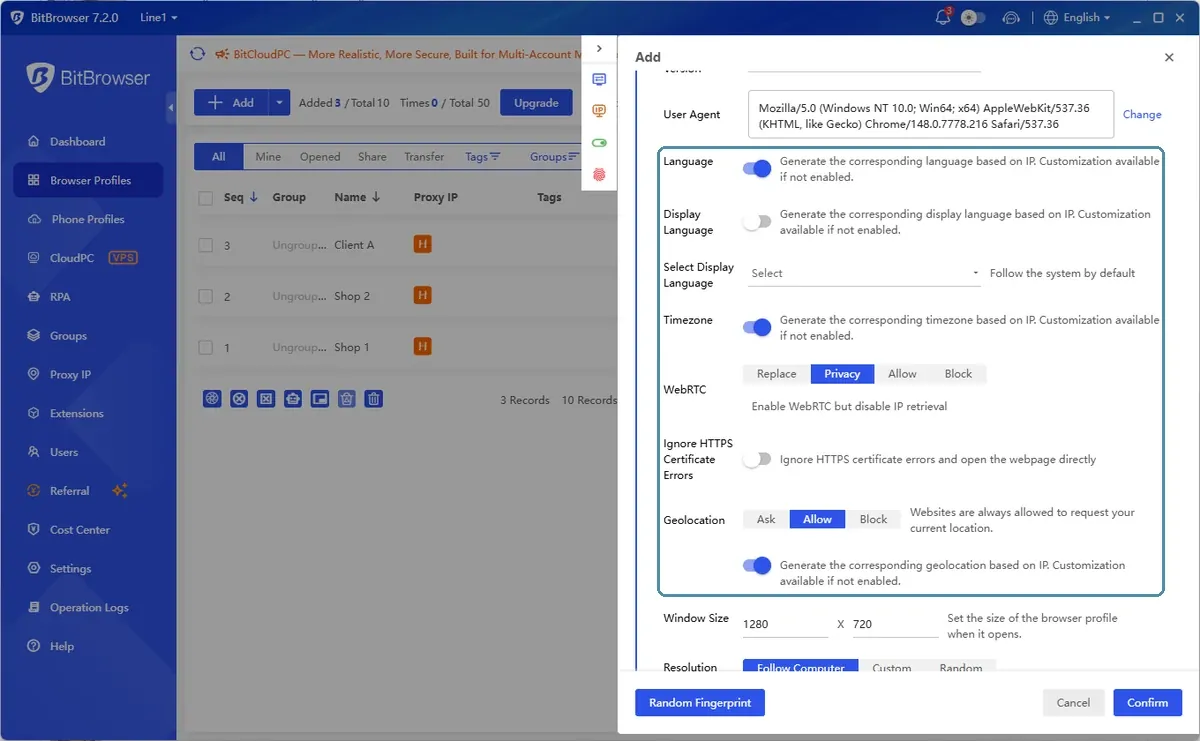
Fingerprint settings: time zone, language, geolocation and WebRTC should match the proxy country.
Before the first launch of a new profile, go through a short checklist:
-
the proxy type matches the port protocol, and the built-in check shows the expected IP;
-
country, time zone, language and geolocation all point to the same place;
-
WebRTC does not reveal your real address;
-
the profile sits in the right group, so teammates and later cleanup stay simple;
-
cookies are exported as a backup if the account matters to you.
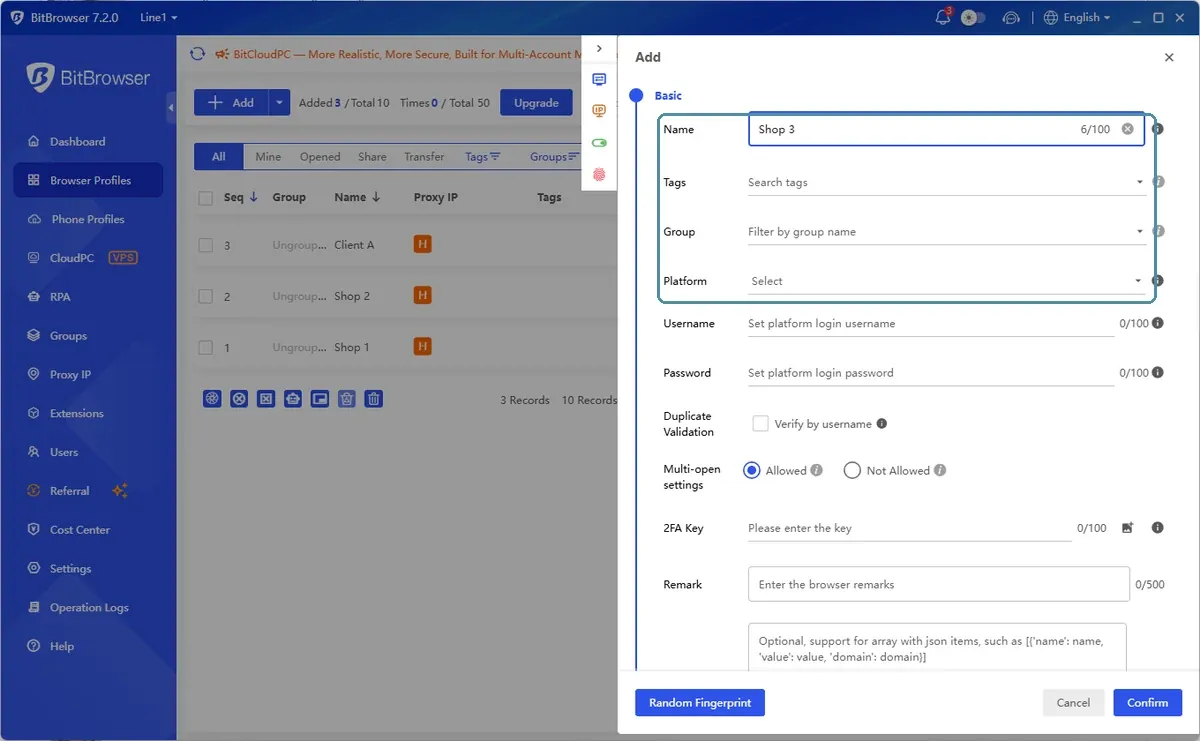
The Add window starts with the Basic block: name, tags, group and platform.
How to add a proxy to a BitBrowser profile
BitBrowser does not detect the proxy type on its own, so you choose it yourself and enter the details from your provider. Have these ready: type, host, port, and login and password if the proxy uses them.
1. In the Proxy block keep the method on Custom (the other options are Extract By API and Proxy Management, a saved list of proxies).
2. Open the Type list and choose HTTP, HTTPS, Socks5 or SSH. The default is Direct Connection Mode, which means no proxy at all, so do not skip this step. The type must match the protocol of the port in your provider's dashboard. A mismatch is the most common reason for an endless loading screen.
3. Enter the host and port. Login and password go into their own fields, Username and Password.
4. Press Check Proxy before saving. It should show an IP and a location that match what you bought.
5. Press Confirm, launch the profile, and open an IP and leak test. Compare IP, country, time zone, DNS and WebRTC.
A shortcut: if your provider gives you a string in the format HOST:PORT:LOGIN:PASSWORD, paste it into the Host field. The field hint says it will auto-split into the separate fields. For many profiles at once, use batch import and check the order of fields in the import window before you paste a list. The Refresh Proxy field takes a link that changes the IP of a mobile or rotating proxy from the profile.
BitBrowser checks a proxy only when you press Check Proxy, and it does not monitor your proxies afterwards. A dead or slow proxy shows up as a profile that will not load or drops the connection. If a profile misbehaves, test the same proxy outside the browser first, for example with curl -x http://LOGIN:PASSWORD@HOST:PORT https://ipinfo.io/json.
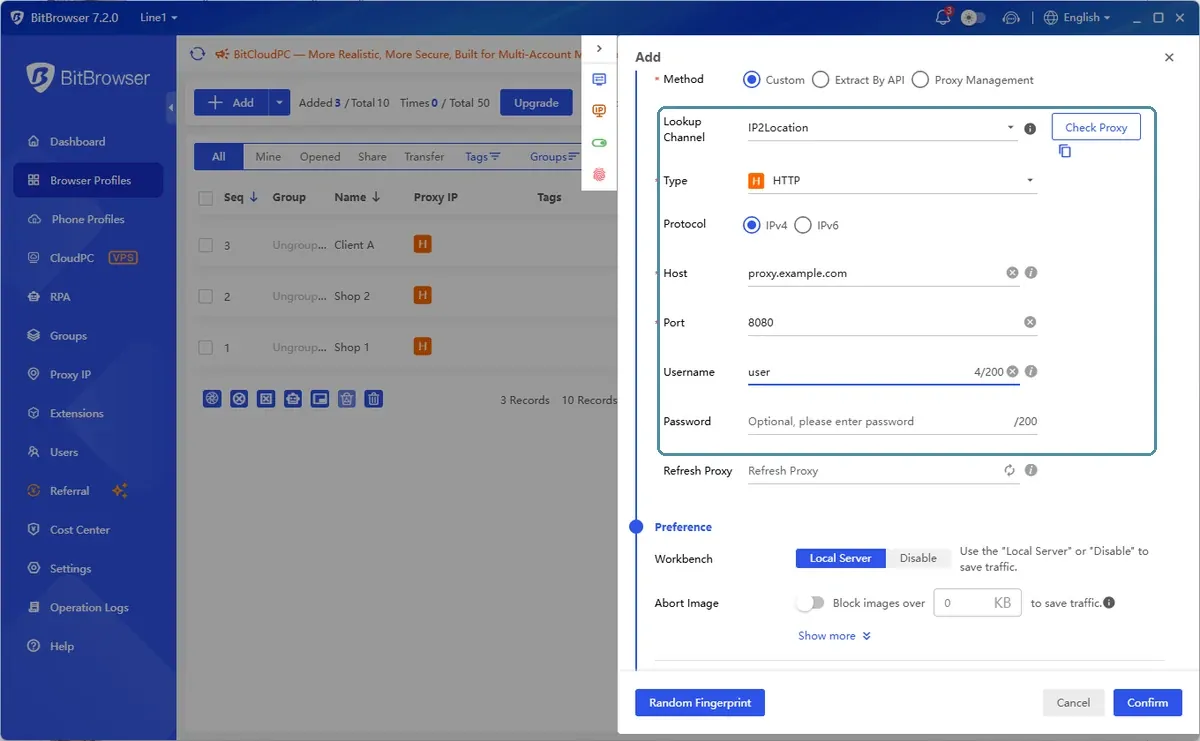
Proxy settings in a profile: choose the type yourself, then check the connection.
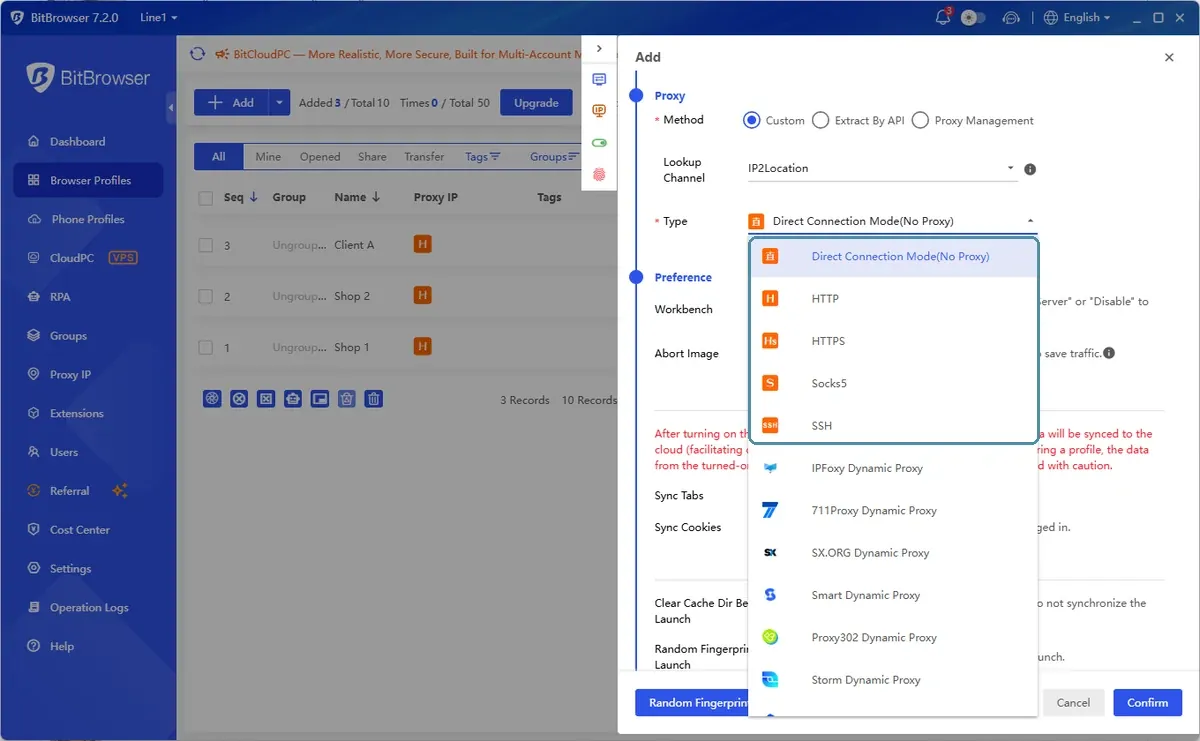
The Type list. Direct Connection Mode, the default, means no proxy.
Which proxy type to choose for each profile
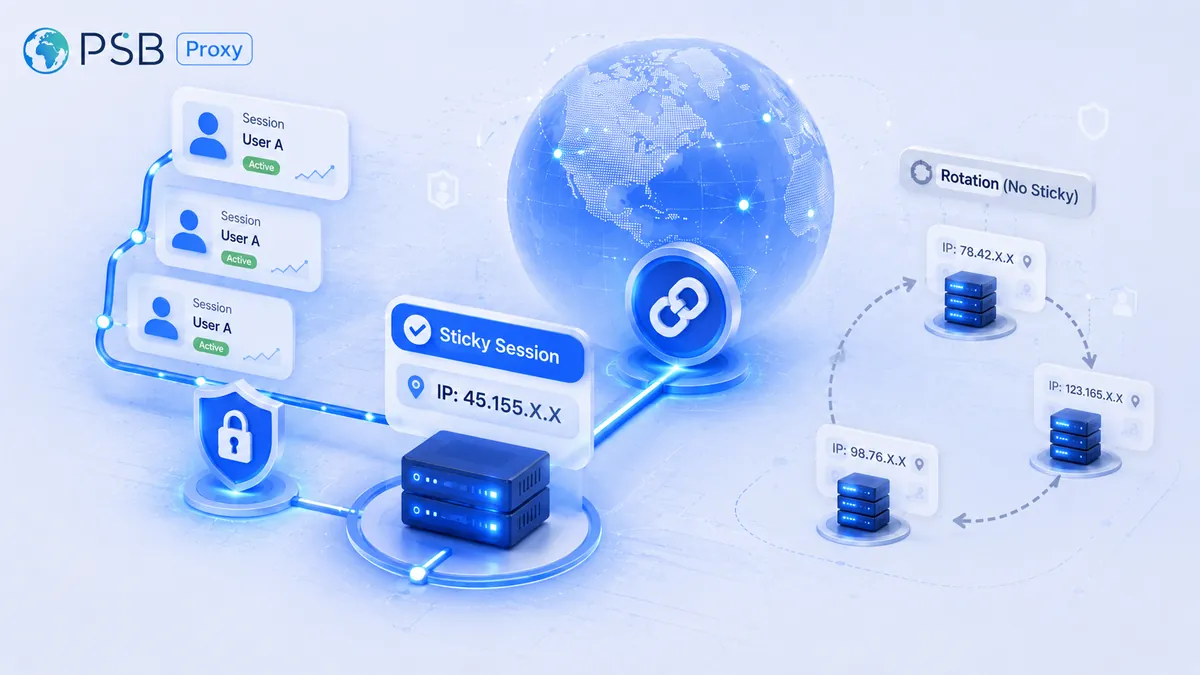
Two rules cover most situations. First, one profile should use one proxy: a shared address links accounts together even if the fingerprints differ. Second, a logged-in profile needs a stable address, so choose a static or sticky proxy rather than one that rotates on every request. Rotation is for data collection, not for long-lived accounts.
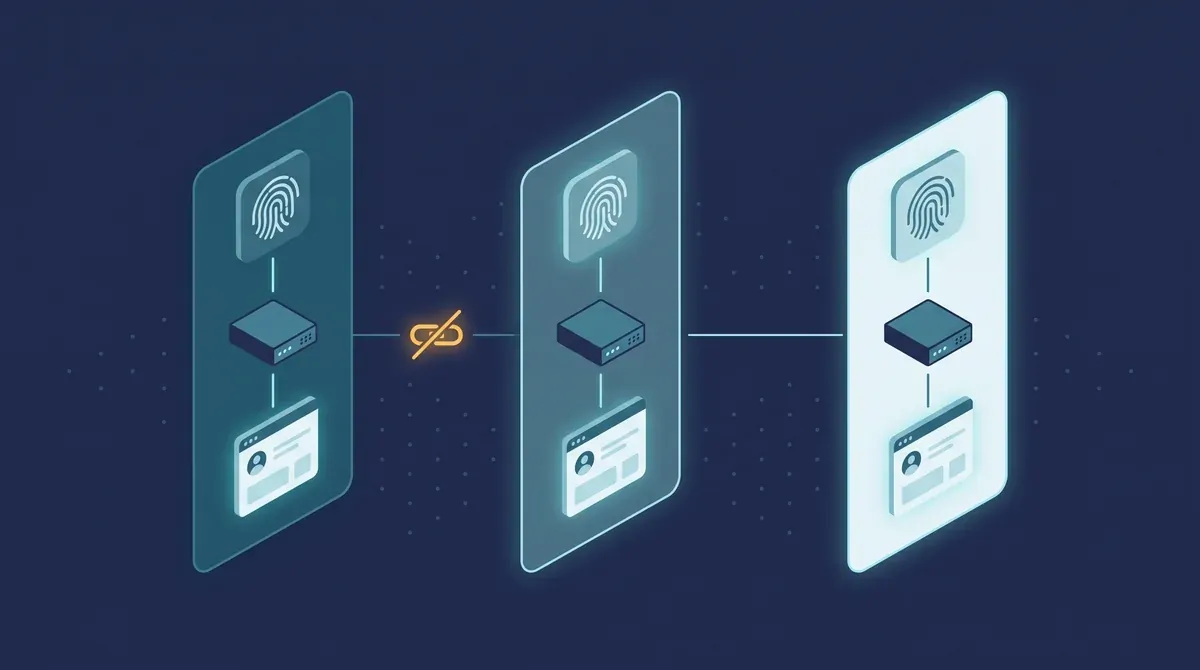
One profile, one fingerprint, one proxy, one account.
|
Task |
Proxy type |
Why |
|
Store, marketplace and social accounts you operate |
Residential with a sticky session |
Home-network IPs look ordinary, and the address stays for the session |
|
Social media and ad accounts that check devices strictly |
Mobile 4G/5G |
Mobile network IPs are shared by many real users, so sites are cautious about restricting them |
|
A profile that must keep the same IP for weeks |
Static ISP |
Fixed address with the stability of a data center |
|
QA, speed tests, low-risk tasks |
Datacenter |
Fast and inexpensive, but easier for sites to recognize |
|
Parsing and one-off checks |
Rotating residential |
New IP per request or per interval, no login to protect |
If you need a set of addresses for many accounts in one project, look at our proxies for multi-accounting. If you also run ads, take a look at mobile proxies for ad accounts, the usual choice when a platform checks devices strictly.
Alternatives: AdsPower, Dolphin{anty}, Octo Browser
BitBrowser is one of many tools of this type. All of them let you attach one proxy per profile, so you can reuse the same proxy list. The differences are in price, team features, support and ecosystem. Before you switch, open each vendor's price page: free limits and plans change often.
|
Browser |
Commonly used for |
What to compare |
|
BitBrowser |
Small teams and testing, a free plan to start |
Free profile limit, daily launch limit, documentation and support language |
|
AdsPower |
Teams that automate routine work with RPA and an API |
Automation features, team tools, profile limits per plan |
|
Dolphin{anty} |
Marketing and affiliate teams |
Team workflow, profile sharing, pricing by profile count |
|
Octo Browser |
Larger teams that want premium support |
Price level, support, how profiles sync between team members |
Whatever you choose, test with a handful of profiles first and run a fingerprint and leak check on each.
FAQ
Does BitBrowser work with SOCKS5 proxies?
Yes. BitBrowser supports HTTP, HTTPS, SOCKS5 and SSH proxies. You choose the type manually, so make sure it matches the protocol of the port you bought. Login and password go into separate fields.
Should each profile have its own IP?
Yes, as a rule. If two accounts share an IP address, sites can link them even when the browser fingerprints are different. Use one proxy per profile and keep country, time zone and language consistent with it.
Rotating or sticky proxies for antidetect profiles?
Sticky or static. A profile with a logged-in account should keep the same IP during the session, and a rotating address that changes on every request breaks that. Use rotation for data collection and short checks.
About PSB Proxy
PSBProxy offers infrastructure for businesses, developers, and automation. Residential and mobile proxies start at $0.60/GB, while static proxies start at $1. Access over 90 million IP addresses across 195 countries, with support for HTTP(S) and SOCKS5, geolocation selection, and IP rotation and sticky sessions. A pay-as-you-go model allows you to pay only for the traffic you use. A free trial is available. Web Scraping, Google Search, and YouTube APIs are available for data collection and extraction.