

 November 5, 2026
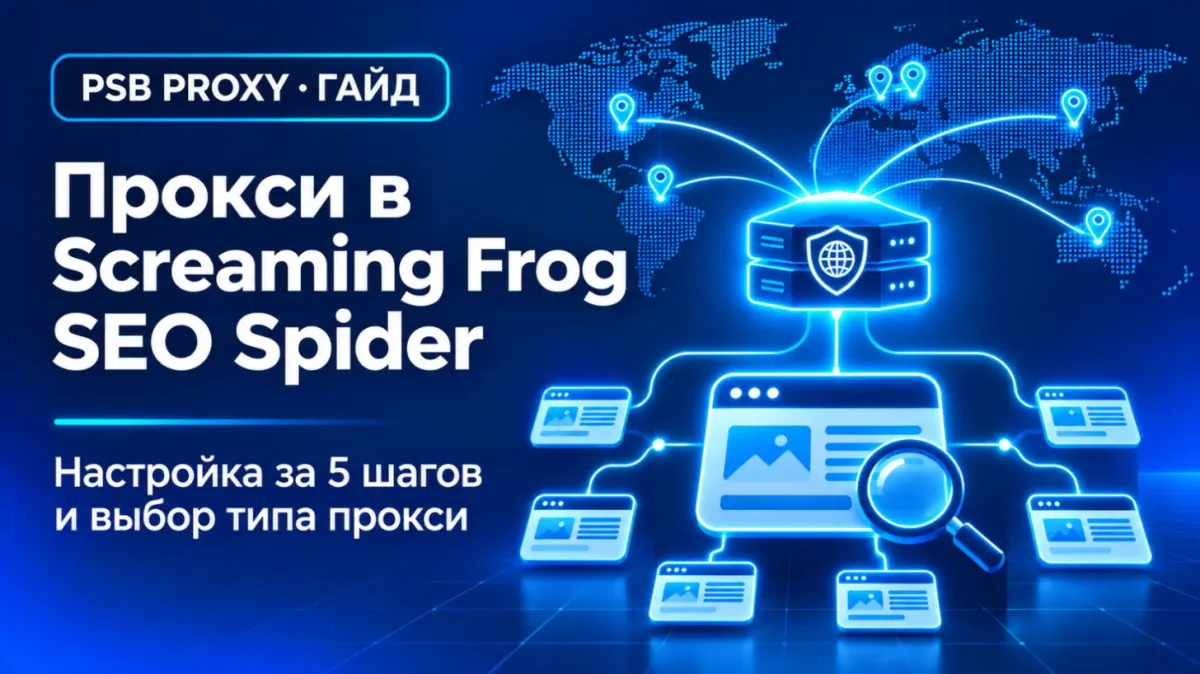
Screaming Frog SEO Spider is one of the most popular crawlers for technical SEO audits. It usually works with a direct connection, but some tasks need a proxy: the site limits request rates, you need to see pages as a user from another country would, or you crawl from a network that only reaches the internet through a proxy. Let's look at how to set up a proxy in Screaming Frog and which type to choose.
When you need a proxy
- The site limits requests. During an active crawl, protection may start returning 403 or 429. A proxy helps spread the requests, but the first thing to do is lower the crawl speed.
- Geo versions of a site. Many sites show different content, language, currency and redirects depending on the country. To check the German version, you need a German IP.
- Corporate network. If your internet access goes through a company proxy server.
Screaming Frog specifics: one proxy
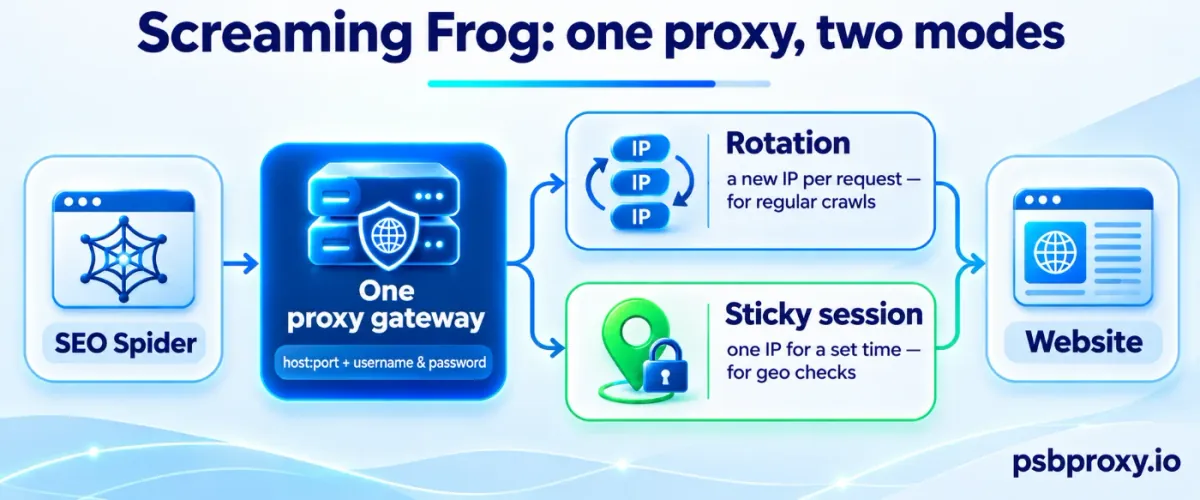
According to the Screaming Frog documentation, you can configure only one proxy server: there are no lists and no built-in rotation, and all HTTP/HTTPS traffic of the program goes through the proxy.
The simple solution: if you need the IP to change, use a rotating gateway. It is one address and port, behind which the provider changes the IP on every request or on a timer. If you need a stable address — for example, to check a geo version of a site — use a sticky session: the gateway keeps one IP for a set time.
Step-by-step setup
1. Get the connection details
In your PSB Proxy dashboard, choose the proxy type, country and mode: rotation or sticky session. Copy the host, port, username and password.
2. Open the network settings
- Windows and Linux: File → Settings → Network
- macOS: Screaming Frog SEO Spider → Settings → Network
3. Enable the proxy
- Tick Use Proxy Server.
- Enter the proxy address and port.
- Tick Use Proxy Credentials and enter the username and password.
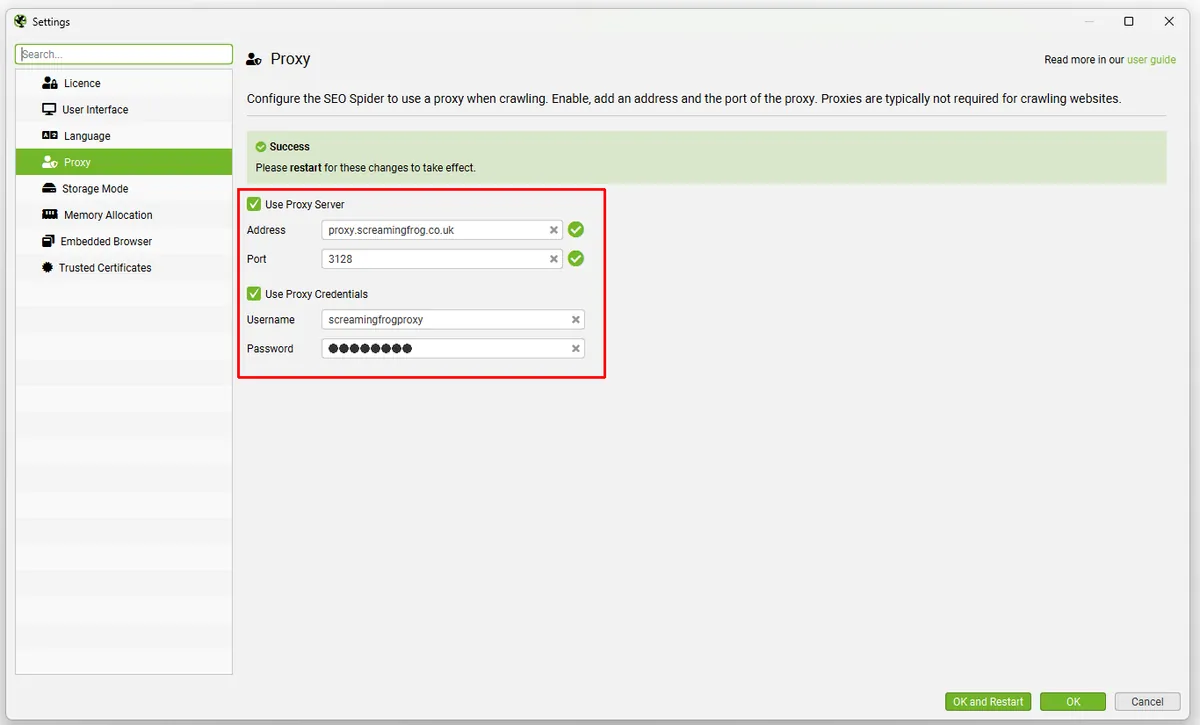
Proxy fields in the SEO Spider settings (in newer versions the section is called Network). Source: Screaming Frog documentation.
4. Restart the program
Proxy settings take effect only after you restart the SEO Spider. The same applies to any later changes.
5. Check the connection
Before a big crawl, crawl a single page of an IP checker — for example, psbproxy.io/en/tools/my-ip — or a page of the site that shows the country, and make sure requests come from the right address.
Which proxy type to choose
- Datacenter — for regular crawls: fast and affordable.
- Residential — if the site treats server addresses differently, or you need to see the site as a user from a specific country and city would.
- Mobile — for checking mobile versions and mobile search results in a specific country.
Tips
- Speed matters more than the number of IPs. Start with a small number of threads in the crawl speed settings (Configuration → Speed) and increase gradually.
- Use a sticky session for geo checks. If the IP changes mid-crawl, the site may switch language versions and redirects, and the report will be mixed.
- IPv4 and IPv6. Use IPv4 Only is enabled by default. Turn it off only if your network requires IPv6.
- Watch the traffic. Residential proxies are usually billed per gigabyte. If you don't need images, CSS and JS, turn off their loading in the crawl settings — this noticeably reduces the volume.
Conclusion
Screaming Frog supports one proxy server with username and password authentication. If you need the IP to change, use your provider's rotating gateway; for geo checks, use a sticky session in the right country. Remember to restart the program after changing the settings, and tune the crawl speed so the site responds without errors.