

 Русский

 March 23, 2026
Connecting applications and websites through a proxy server is a common practice. This method of transmitting traffic allows you to avoid restrictions imposed in various regions and countries. With the help of a proxy, you can improve the quality of using a software product and expand its functionality. Before connecting, it is important to test the proxy server's operation and evaluate its key parameters. It is necessary to check speed, anonymity, assess the risk of data leaks, and verify connection stability.
What Is a Proxy Checker and Why Is It Needed?
To evaluate a server's performance, a proxy checker is used. This is what they call a special program or online service designed to assess server functionality. If a proxy is of poor quality or blocked, it can lead to application slowdown, loss of functionality, and errors during use. The main functions of a proxy checker include:
- Checking availability and connection stability;
- Assessing traffic speed;
- Verifying anonymity;
- Monitoring access to required internet resources;
- Filtering by country, assessing the ability to bypass geographic restrictions.
Using a proxy checker, you can quickly determine whether a selected server is suitable for specific tasks. Software platforms perform checks quickly and help select the best proxy from an uploaded list. A detailed check of each functional indicator ultimately provides a complete picture of the server's quality.

Speed Testing: What to Measure and How
To measure a server's speed, it is important to evaluate various network metrics. Different applications and tasks require different indicators, so proxy checkers display all metrics. Ping – the server's response time – is always measured, as well as jitter – latency fluctuations.
The Throughput parameter provides insight into the server's actual bandwidth. For users, download speed is important, as it reflects the actual time it takes for the proxy to load pages. Connection establishment time is determined by the TCP/TLS handshake indicator.
You can check these indicators manually via the command line using the "ping" command. A more effective option is to use a proxy checker. The application provides a fast and accurate assessment of all relevant metrics.
Anonymity Testing
Evaluating a server's anonymity parameters is necessary to assess the level of IP address masking. The test is conducted by analyzing server responses and the headers of HTTP requests passing through the proxy. An intermediary server can provide the following levels of IP address masking:
- No anonymity (the user's IP is present in HTTP headers);
- Low level of anonymity (the exact user IP is not visible, but characteristic headers are present);
- Medium level of anonymity (the user's actual IP is replaced with another);
- High anonymity (there are no signs that the connection is made through a proxy server, and no characteristic HTTP headers are present).
It is most convenient to perform the check using proxy checkers. All parameters, including the level of IP masking, are evaluated automatically.
Leak Testing
Such monitoring allows you to track not only the likelihood of personal data leaks but also to verify the correctness of the proxy's operation. During the check, DNS leak is monitored – a situation where DNS requests bypass the proxy server, revealing the user's real IP address.
WebRTC leak threatens to expose the client's local IP when using video communication technologies. Comprehensive leak testing includes monitoring the formation of X-Forwarded-For, X-Real-IP, and REMOTE_ADDR headers. If a discrepancy is detected between them, the user's real address may also be exposed.
During the check, protocols and traffic are analyzed. This allows you to identify patterns and processes that are not characteristic of typical user activity but are specific to proxy servers. All the above parameters and data leak risks can also be assessed through a proxy checker, comparing indicators across different servers.
Stability Testing
The most important indicator for any proxy is stability; without connection reliability, other advantages lose their significance. Various tools and methods are used to assess stability, evaluating the following parameters:
- Response speed (the period of time between sending a request and receiving a result);
- Connection stability (the period of time during which the connection is available);
- Connection establishment time;
- The percentage of time the server is available (the percentage of time the proxy can process requests);
- Stability level under load (when multiple requests are made simultaneously).
Each of these indicators for a specific proxy can be assessed using standard network utilities. A more effective method is to use specialized software designed for load testing of proxies. In this case, you can obtain a more accurate and complete result and quickly compare indicators across multiple servers.
Step-by-Step Instructions: How to Test a Proxy in 5 Minutes
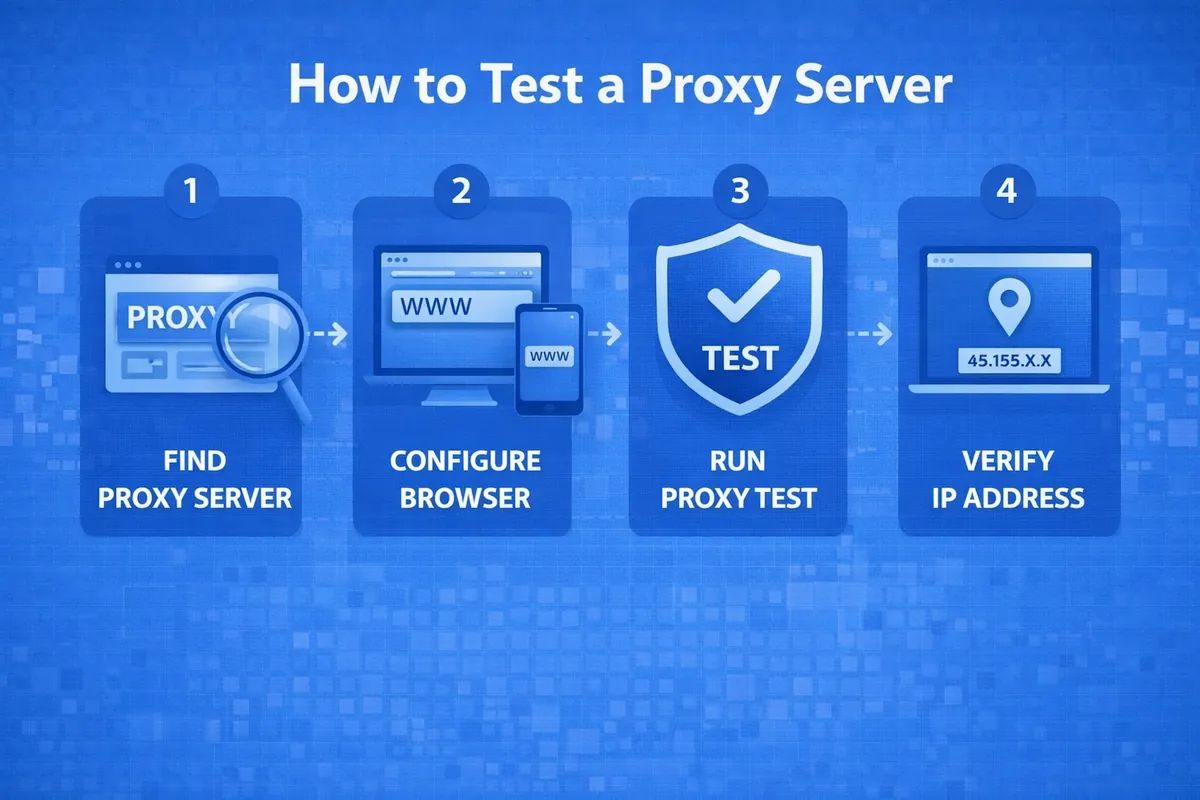
The proxy testing algorithm depends on the type of device for which it is being selected and the operating system. A basic functionality check can be performed manually, but it does not reflect the full range of important metrics. Manual assessment is carried out according to the following algorithm:
- Launch a browser and configure the proxy in it.
- Go to one of the specialized portals where you can check your IP address.
- Check the displayed IP and its corresponding geolocation.
- Assess the anonymity indicator (the presence of a "You are using a proxy" marker).
It is much simpler and faster to perform the check through an online proxy checker, and the number of parameters assessed will be greater. The operating principle of such programs is similar. Simply go to a checker website, copy the proxy in the format IP:Port (for servers with authorization, in the format IP:Port:Login:Password), and then paste it into the verification field.
After launching the online program, all indicators are calculated in seconds, and the checker generates a report table. This allows you to test several proxies in 5 minutes, conduct a comparative assessment, and choose the best one.
Common Problems and Their Solutions
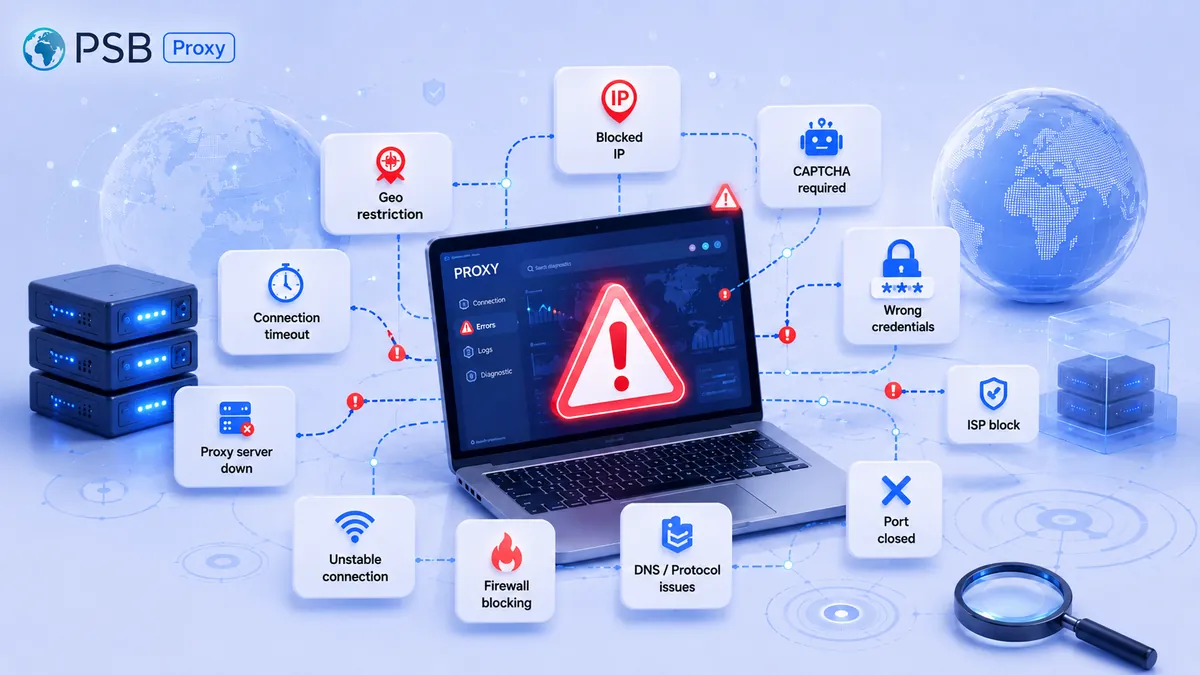
When testing a proxy manually or using an online checker, errors may occur. Most of them are typical and easy to resolve. Here are a few examples:
- "Check proxy server settings" error. May be caused by an incorrect address or port for the proxy, a broken PAC file, or a conflict between the proxy and VPN. To resolve the error, check the proxy settings in your browser and make sure there are no typos. If the device is connected to a corporate network, test the connection on other devices to rule out a conflict with the VPN.
- Error 407 (Proxy Authentication Required). Indicates that authentication through the proxy server was not completed or was rejected. Restart the device and verify your login credentials. If errors are found, re-enter the credentials. Temporarily disabling plugins and extensions in the browser can also help resolve the issue.
- SSL/TLS errors. Indicate a security conflict or the use of outdated or mismatched SSL certificates. To resolve this, update your software and check the SSL/TLS settings.
- DNS error. Occurs if the DNS server cannot resolve the proxy name. To resolve this, you can replace the DNS server with a public one or change the proxy name resolution.
Before troubleshooting, it is important to test the proxy server's functionality and assess connection stability and other operational parameters. Most errors may be caused by sudden blocking, to which free proxies are particularly susceptible.
Conclusion
To improve the quality and efficiency of using internet resources, you can configure a connection through a proxy server. It is important to test its functionality and evaluate its key operational parameters. Data transfer speed, level of anonymity, connection stability, and other characteristics are important. You can evaluate them manually in a browser, via the command line, or through a special program – a proxy checker. The latter option is more convenient and allows you to assess metrics that are not available for manual control.