

 Русский

 March 23, 2026
For correct, uninterrupted operation of WhatsApp, you can choose a connection via a proxy. The choice is influenced by the features of using the messenger, the tasks facing the user; working proxies for WhatsApp can be selected from one of three categories: residential, mobile, or server. The right choice of proxy ensures a stable connection, good messenger speed, and the absence of errors during use.
How WhatsApp "Sees" the Proxy: Technical Requirements of the Messenger
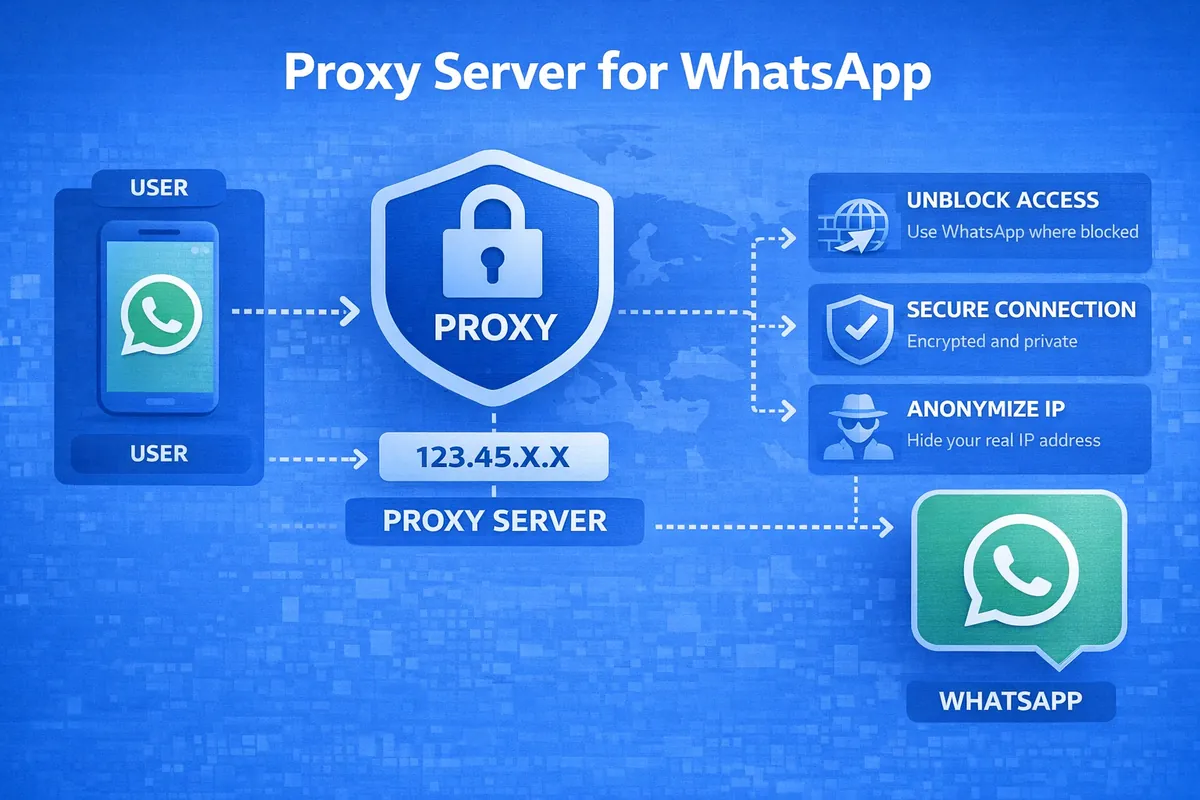
To connect to the messenger's servers, WhatsApp can use intermediary servers – proxies. Such a connection is necessary for WhatsApp to work if restrictions are imposed on the application (for example, in a particular country or region). When restrictions are in place, installation, configuration, and use are difficult.
Using a proxy server, you can replace the user's true IP address with the proxy's IP. This will ensure the user's anonymity and allow bypassing restrictions, making traffic invisible to active limitations. For the application to work correctly, it is important to comply with the messenger's technical requirements; the following list of recommendations will help:
- The proxy server must be compatible with WhatsApp protocols; on some platforms, parameters are selected automatically.
- The intermediary server must operate stably and not create delays in traffic transmission.
- For WhatsApp, servers with the SOCKS5 connection protocol are preferred, though even in this case, the application's functionality may be somewhat limited.
- It is recommended to use preferred ports (80 (HTTP), 443 (HTTPS), or 5222 (XMPP) work best).
- The proxy must have a domain name or subdomain.
- Secure connection support is mandatory to prevent data leaks (you can choose a proxy with authorization and the ability to set a password when connecting).
WhatsApp is one of the common, universal messengers that interacts loyally with different types of proxies. This allows you to continue using the application on various types of devices – personal computers, laptops, tablets, smartphones, and other gadgets – even during periods of severe restrictions. It is enough to choose the optimal proxy option for a specific device, determine the primary tasks and goals for using the application, and perform additional settings to meet individual needs.
Types of Proxies for WhatsApp and How They Work with WhatsApp
Among the proxy servers that are suitable for connecting WhatsApp, there are classic datacenter proxies, residential proxies, and mobile proxies. The first option remains the most common and economical, suitable for solving standard tasks. The risk of traffic detection when choosing datacenter proxies is the highest.
Residential proxies provide higher anonymity, they are much safer, but also more expensive. Mobile 4G/LTE proxies are suitable for solving marketing tasks; their operation is based on using IP addresses from mobile operators. Each type of server has its own exceptional features and advantages.
Datacenter Proxies
This option is preferable when connection stability and data transfer speed are important when interacting with the messenger. At the same time, the user must be prepared for a high risk of blocking. Among the advantages of datacenter proxies:
- Bypassing geographic restrictions;
- Ability to manage multiple accounts;
- Maintaining confidentiality;
- High connection speed;
- Ability to integrate automation tools.
Among the main problems associated with connecting WhatsApp through datacenter proxies remains the high risk of blocking. After the 2026 updates, about 89% of such servers were blocked, but the remaining ones are still used to solve current tasks.
Residential Proxies
Connecting to a residential proxy allows you to switch IP addresses from different regions and countries, thus bypassing geographic restrictions. The use of such proxies is preferable for global marketing purposes; they provide a high level of confidentiality and also support the management of multiple accounts.
When connecting through a residential server, the real IP address is hidden, which ensures account security and allows you to avoid detection and subsequent blocking. If personalized mailings are planned through WhatsApp, a high-speed and stable connection is important; this option will be the best.
Mobile Proxies

Mobile servers for Android and iPhone are suitable for all devices and gadgets that work with SIM cards from mobile operators. Mobile proxies are valued for their anonymity, high level of personal data protection, and the ability to solve various business tasks.
Mobile proxies are considered among the most flexible in terms of configuration. They allow you to use WhatsApp for customer support, working with requests, and conducting consultations. They allow you to connect the messenger with other applications and ensure shared use across multiple devices.
Comparison Table: Which Proxy to Choose for WhatsApp
To configure WhatsApp via a proxy connection, it is necessary to consider the device type and the user's tasks. The comparison table will allow you to create a connection that will satisfy all requirements:
| Proxy Type | Datacenter | Residential | Mobile |
|---|---|---|---|
| Advantages | Cost-effectiveness, high speed | Maximum trust level, minimal risk of account issues. Suitable for business accounts. | High reliability, compatibility, anonymity. Personal data protection, confidentiality. |
| Disadvantages | High risk of detection and blocking. Weak data protection. | High cost, limited residential options. Need to monitor traffic usage. | Incomplete traffic encryption, stability issues. Limited functionality. |
| Suitable Tasks | Small tasks, personal use. | Global marketing, consulting, mass mailing. | Marketing, business scenarios, managing multiple accounts. |
| Suitable Devices | Any devices based on Android, iOS, Windows, and macOS. | Mobile and desktop devices based on Android, iOS, Windows, and macOS. | Mobile devices based on Android and iOS. |
The variety of proxy servers allows you to choose the optimal solution for personal use of the messenger, as well as for business tasks of various specifications.
How to Set Up a Proxy in WhatsApp: A Brief Instruction
If the preferred proxy server option has been selected, for WhatsApp to work, it is enough to adjust the application settings. All the tools are located in the messenger's settings; the specific actions depend on the operating system and device. The general algorithm is the same for all Android, iOS devices, and PCs:
- Go to the application settings (gear icon).
- Go to the "Storage and Data" section.
- Open the "Proxy" item.
- Enable the "Use Proxy" toggle.
- Enter the server address and port, save the settings.
The server address and proxy port can be found in recommendations on specialized portals, or you can use universal solutions available in open access.
Frequently Asked Questions
1. Is it safe to use a proxy in WhatsApp?
Using a proxy will be safe if you choose reliable servers. This will help maintain confidentiality and prevent data leaks.
2. Will my account be banned for using a proxy?
Using the application with a proxy connection is not a direct reason for account blocking. It is important to avoid connecting through unreliable servers.
3. Is it worth using free proxies for WhatsApp?
For a permanent connection, it is better not to use free proxies. They are quickly blocked, WhatsApp may experience low speed, and there is a high risk of data leakage. Choosing a paid proxy with a password is preferable.
Conclusion
To avoid WhatsApp blocking, increase the application's speed, and expand its functionality, you can use a connection via a proxy server. Depending on the type of device and the user's tasks, a datacenter, residential, or mobile server is selected. All necessary settings can be made independently in the application, adapting it to personal requirements. Using a reliable proxy server is convenient, safe, and beneficial.